How to Allow WhatsApp to Access the Contacts on OPPO Phone
How to Allow WhatsApp to Access the Contacts on OPPO Phone
If your WhatsApp contacts are not visible, the Phone Manager may be blocking access. Here's a solution to fix it.
My contacts are not appearing on WhatsApp
1. Go to [Phone Manager] > [Privacy Permissions] > [App Permissions] > [Apps] > [WhatsApp] > [Contacts] and select [Allow] or toggle it on.
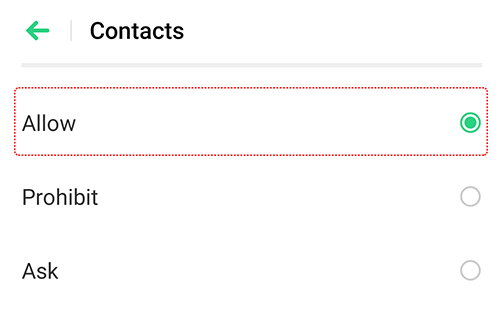
Alternatively, you can go to [Settings] > [App Management] > [WhatsApp] > [Permissions] and toggle on [Contacts].

2. Then, refresh the contact list in WhatsApp to see all your contacts that are using WhatsApp. At the bottom of the WhatsApp app, tap  >
>  > [Refresh].

Other articles you might be interested in:
* Pictures, settings, and paths might differ from those of your phone, but these won't affect the description in this article.
Sponsored Deals
Advertisement · Hand-picked offers, refreshed regularly
These are paid/affiliate advertisements from our partner store and are not related to OPPO or OPPO spare parts.
Related Articles
Sponsored Deals
Advertisement · Hand-picked offers, refreshed regularly
These are paid/affiliate advertisements from our partner store and are not related to OPPO or OPPO spare parts.