Wi-Fi Assistant
Tired of manually connecting to WiFi networks? Let the Wi-Fi Assistant do the work for you.
What is Wi-Fi Assistant?
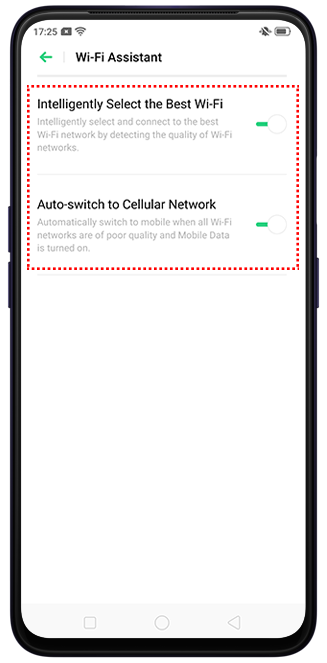
Wi-Fi Assistant lets your phone to intelligently detect the quality of the available Wi-Fi networks and automatically connect to the best Wi-Fi network. This feature also has an option to automatically switch to your mobile data if all Wi-Fi networks are poor quality and mobile data is turned on.
How to turn on the Wi-Fi Assistant?
Go to [Settings] > [Wi-Fi] > [Wi-Fi Assistant] and toggle on the desired option(s).


Related articles:
* Pictures, settings, and paths might differ from those of your phone, but these won't affect the description in this article.
Sponsored Deals
Advertisement · Hand-picked offers, refreshed regularly
These are paid/affiliate advertisements from our partner store and are not related to OPPO or OPPO spare parts.
Related Articles
OPPO Phone Unable to Automatically Switch to Mobile Data when the Connected Wi-Fi is Out of Range
Sponsored Deals
Advertisement · Hand-picked offers, refreshed regularly
These are paid/affiliate advertisements from our partner store and are not related to OPPO or OPPO spare parts.