User Guide for Wibu Encryption Client
The download tool of qualcomm platform (From V1.5.0) has been encrypted. It can only be used after the Wibu encryption client is installed and the License is imported. The method is as follows:
1. Install the CodeMeterRuntime.exe;
2. Import the License file OPPOMsmDownloadToolNoneLic_2000.WibuCmRaU or OPPOMsmDownloadToolNoneLic_2001. WibuCmRaU (Either of them); If the installed one is not available, import the other one.
Import method: Import the License through the menu or drag the License to the CodeMeter control center.
The interface is shown in the figure below after import:
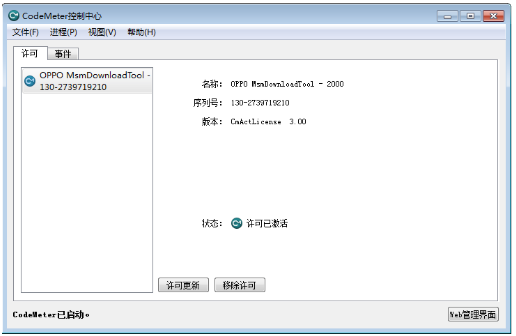
Attention:
1. After the license is imported, it is forbidden to be removed. Since the license cannot be re-imported once removed; The License can only be available when the system is reinstalled or the License is reapplied;
2. Do not use common debug tools, such as VC++, C++ Build, etc. when using the download tool; Since the License will be locked when using the download tool.
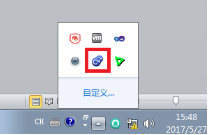
3. The CodeMeter control center will always run and will open at the bottom right corner of the desktop.
Sponsored Deals
Advertisement · Hand-picked offers, refreshed regularly
These are paid/affiliate advertisements from our partner store and are not related to OPPO or OPPO spare parts.
Related Articles
Troubleshooting Guide សំរាប់បង្កើតឡើងនៅក្នុង APK Malfunctions វិធីសាស្រ្ត
Notice about F3&A77 Unable to be Operated after Connecting to Wi-Fi in Start-up Guide
Sponsored Deals
Advertisement · Hand-picked offers, refreshed regularly
These are paid/affiliate advertisements from our partner store and are not related to OPPO or OPPO spare parts.