Set What You Share with Your Paired Devices
Set What You Share with Your Paired Bluetooth Devices
Situation: You want to set what you share with the paired Bluetooth devices.
Applicable to: ColorOS 5.0 and above devices.
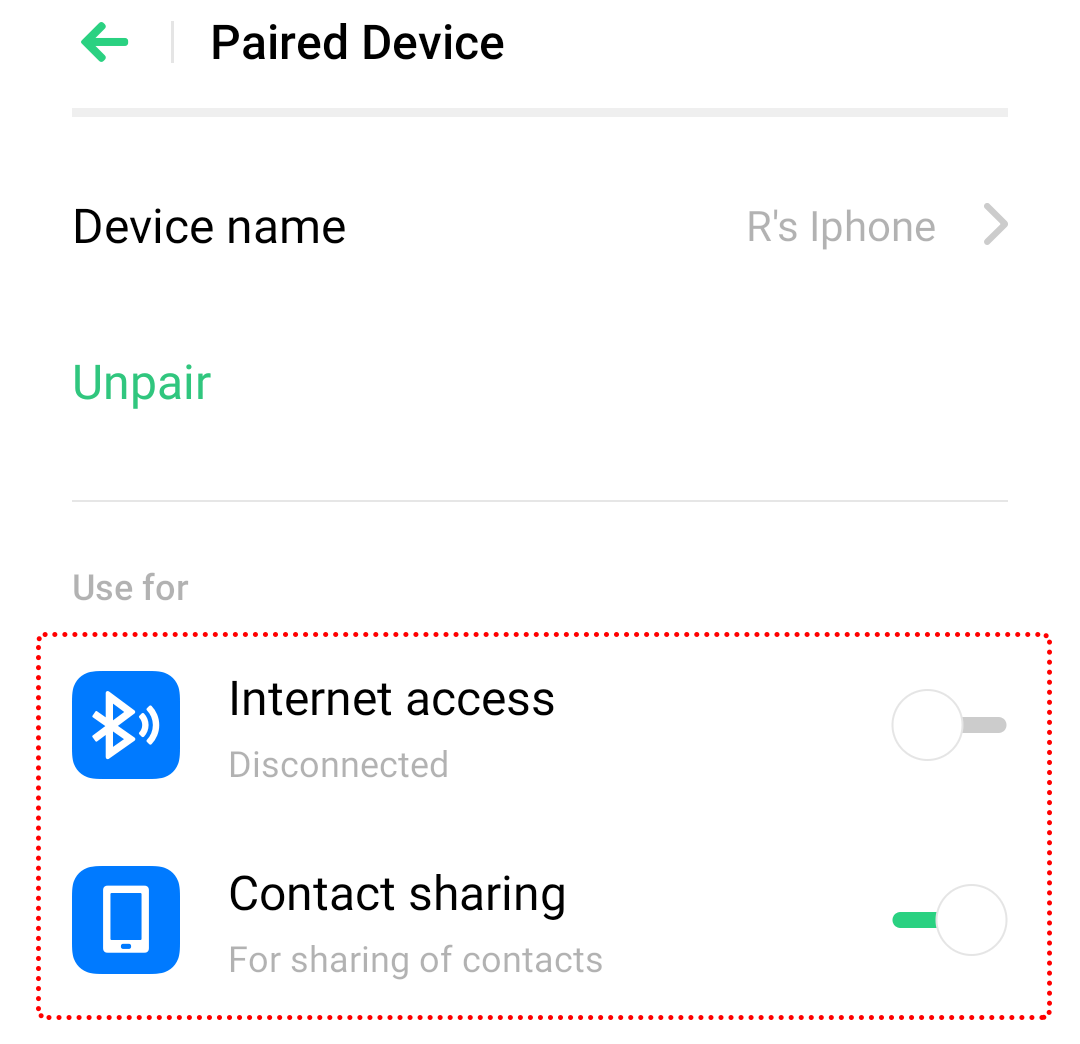
1. Go to [Settings] > [Bluetooth] and tap the paired device
2. Under [Use for], toggle on the preferred option(s) as below:
-
Internet access: Allow internet sharing
-
Contact sharing: Allow phone contacts sharing
-
Phone Audio: Allow phone calls to be heard and answered via the device
-
Media Audio: Play music or video audios via the device
* Pictures, settings, and paths might differ from those of your phone, but these won't affect the description in this article.
Sponsored Deals
Advertisement · Hand-picked offers, refreshed regularly
These are paid/affiliate advertisements from our partner store and are not related to OPPO or OPPO spare parts.
Related Articles
Sponsored Deals
Advertisement · Hand-picked offers, refreshed regularly
These are paid/affiliate advertisements from our partner store and are not related to OPPO or OPPO spare parts.