How to not Record Voice During Screen Recording?
How to not Record Voice During Screen Recording?
Situation: You want to disable the voice recording when recording the screen.
Applicable to: All OPPO smartphones with the Screen Recording feature.
The settings path to turn off audio recording during screen recording may vary across phone models. Try one of the following steps on your device:
-
Go to [Settings] > [Additional Settings] > [Screen Recording] and toggle off [Record Microphone Sound].
-
Go to [Settings] > [System Apps] > [Screen Recording] and toggle off [Allow sound recording].
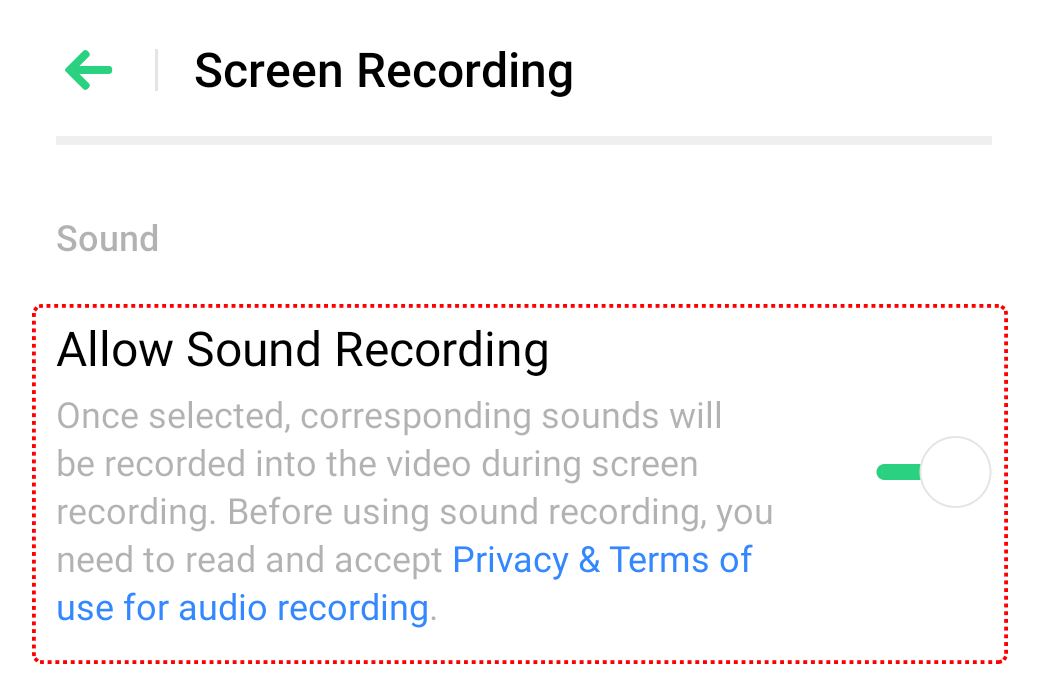
*Pictures, settings, and paths might differ from those of your phone, but these won't affect the description in this article.
Sponsored Deals
Advertisement · Hand-picked offers, refreshed regularly
These are paid/affiliate advertisements from our partner store and are not related to OPPO or OPPO spare parts.
Related Articles
Can OPPO Screen Recording Record the System and Background Sounds?
Why Can't I Record Both System Sound and Microphone Sound Simultaneously for Screen Recording?
Sponsored Deals
Advertisement · Hand-picked offers, refreshed regularly
These are paid/affiliate advertisements from our partner store and are not related to OPPO or OPPO spare parts.