Can OPPO Screen Recording Record the System and Background Sounds?
Can OPPO Screen Recording Record the System and Background Sounds?
Situation: You want to know if OPPO phone's screen recording can record the system sound or microphone sound.
Applicable to: ColorOS 5.0 and above device. Check your ColorOS version in [Settings] > [About phone].
Yes, if you have sound recording turned on, Screen Recording feature can record your voice and system sounds during the recording. The microphone is turned off by default for the screen recording function. No sound will be recorded unless you choose to turn on the microphone.
To allow sound recording, go to [Settings] > [System Apps] > [Screen Recording] > [Audio Source for Recording] and select [Microphone Sound].
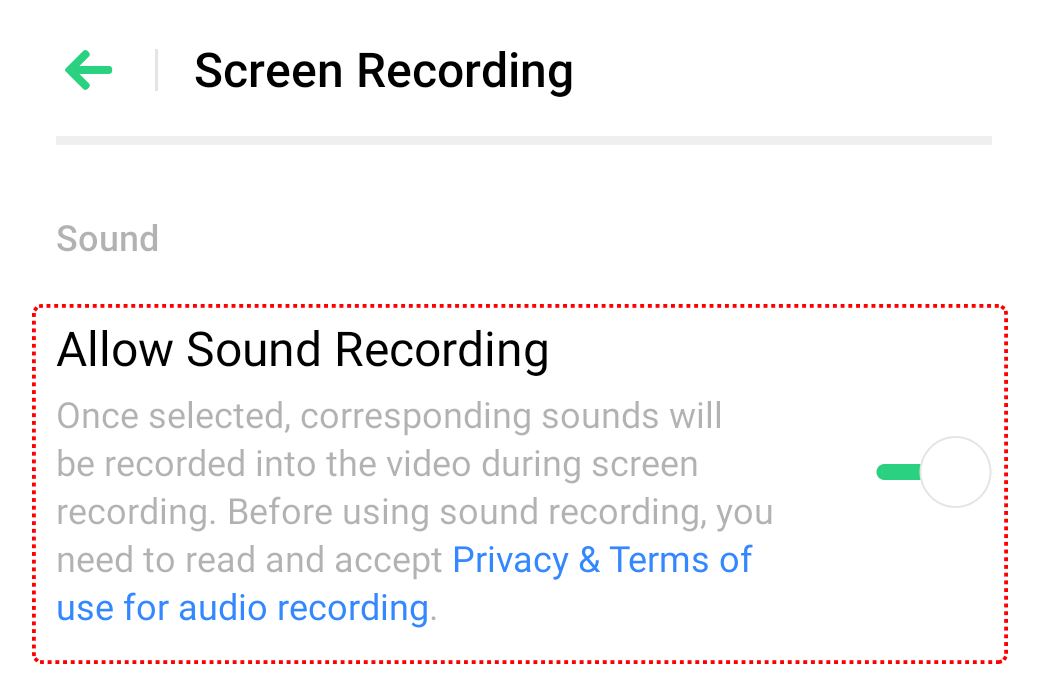
In some devices, you may need to go to [Settings] > [System Apps] > [Screen Recording] and toggle on [Allow Sound Recording].
Note: The sound through Screen Recording is unavailable when another channel or application is using the microphone feature. This explains why there's no sound from screen recording during a video call. You can only use the voice and recording from your microphone one channel or application at a time.
*Pictures, settings, and paths might differ from those of your phone, but these won't affect the description in this article.
Sponsored Deals
Advertisement · Hand-picked offers, refreshed regularly
These are paid/affiliate advertisements from our partner store and are not related to OPPO or OPPO spare parts.
Related Articles
Why Can't I Record Both System Sound and Microphone Sound Simultaneously for Screen Recording?
Sponsored Deals
Advertisement · Hand-picked offers, refreshed regularly
These are paid/affiliate advertisements from our partner store and are not related to OPPO or OPPO spare parts.