E-warranty card ကို register လုပ္ရန္ က်ရႈံးျခင္းအေၾကာင္းကို အသိေပးျခင္း
ေနာက္ခံ :
ပုံမွန္အသုံးျပဳမႈ internet accessed ႏွင့္ SIM card တြင္ပင္လွ်င္ E-warranty card ကို register လုပ္ရန္ က်ရႈံးမႈအေၾကာင္းကို အခ်ိဳ႕ဧရိယာမ်ား တင္ျပခ်က္မွ ေျမာက္မ်ားစြာေသာ အေၾကာင္းအရာကို ကၽြန္ေတာ္တုိ႕ လက္ခံရရွိပါသည္။
Models:
အားလုံး။
ေျဖရွင္းခ်က္ :
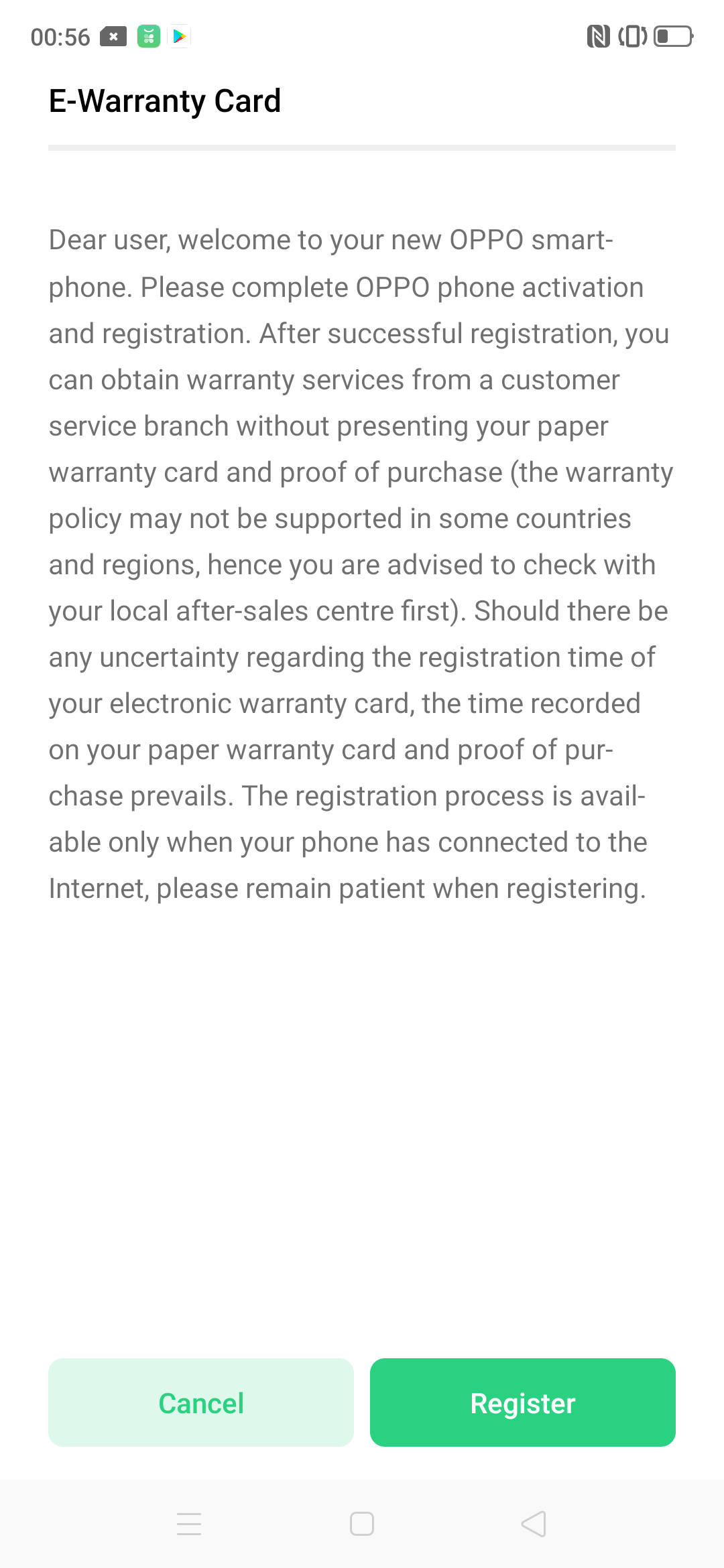
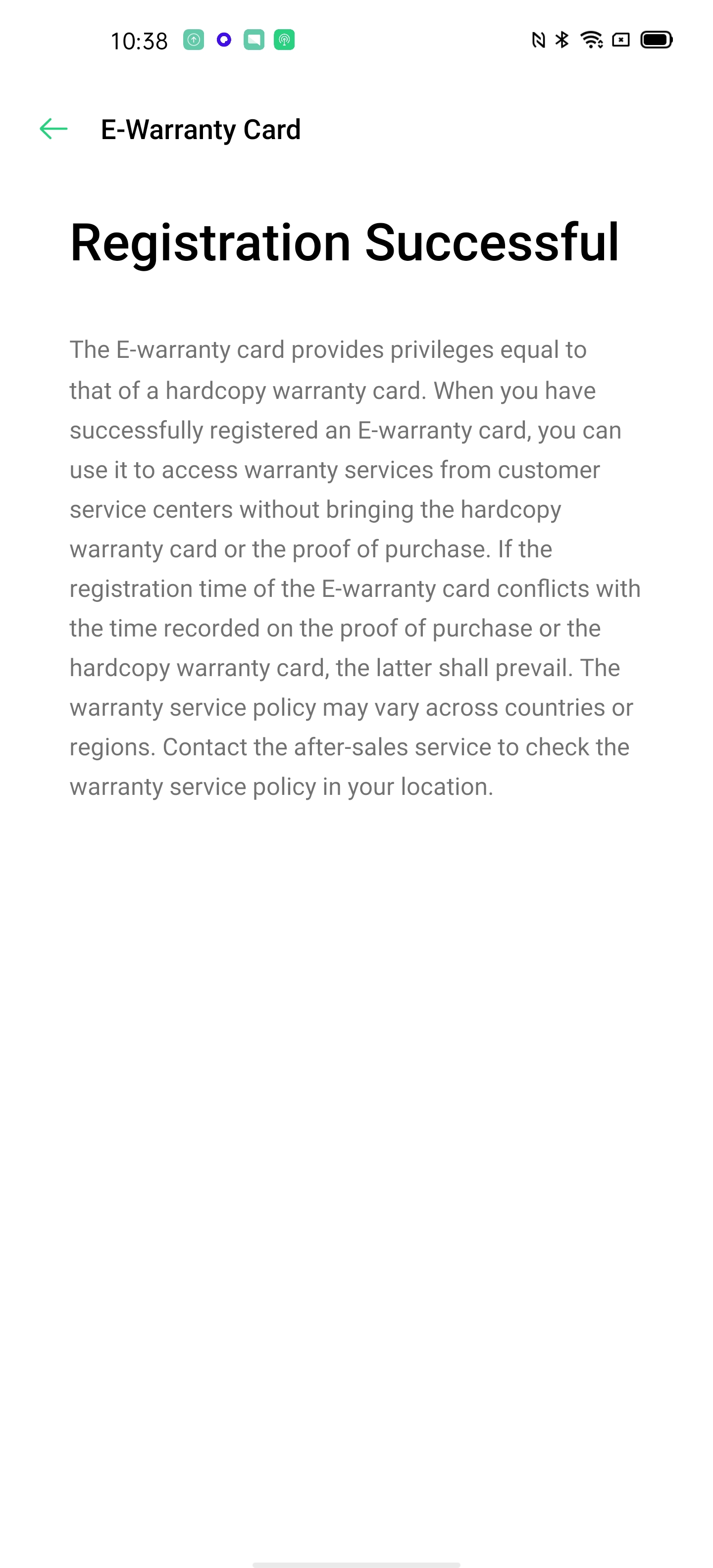
Manual registration နည္းလမ္း : “Settings>Additional Settings>Instructions/User Guide>After-Sales Service>E-warranty card”, “Register” ကိုႏွိပ္ပါ။
အညႊန္း :
Q: ကၽြန္ေတာ့္ဖုန္း၏ E-warranty card ကို အဘယ့္ေၾကာင့္ registered လုပ္၍ မရပါသနည္း။
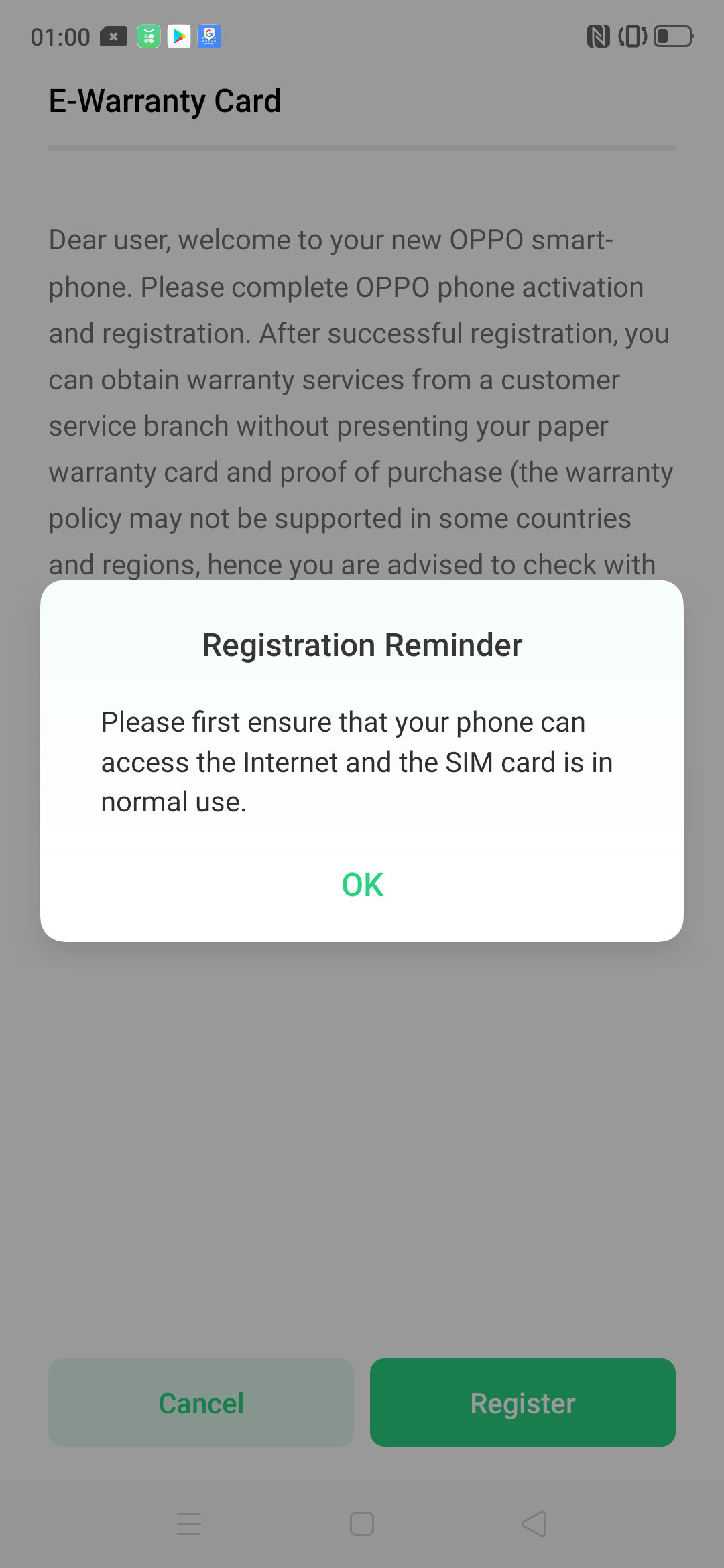
A: လိုင္းမေကာင္းျခင္းႏွင့္အတူ phone signal သည္ ေႏွာက္ေနွးေနႏိုင္ပါသည္။ သင့္ဖုန္းတြင္ register လုပ္ရန္ အႀကံေပးခ်င္ပါသည္။ ပုံမွန္အတိုင္းသင္သည္ internet accessible ႏွင့္ Sim card ကို ေသခ်ာစစ္ေဆးသင့္ပါသည္။ ထို႕ေနာက္ “Settings>Additional Settings>Instructions/User Guide>After-Sales Service>E-warranty card” ကိုဝင္၍ “Register” ကိုႏွိပ္ပါ။
Sponsored Deals
Advertisement · Hand-picked offers, refreshed regularly
These are paid/affiliate advertisements from our partner store and are not related to OPPO or OPPO spare parts.
Related Articles
F1s တြင္ JIO SIM card Volte ေခၚဆိုျခင္းမ်ား အသုံးျပဳ၍မရျခင္းအတြက္ အသိေပးမႈ
Sponsored Deals
Advertisement · Hand-picked offers, refreshed regularly
These are paid/affiliate advertisements from our partner store and are not related to OPPO or OPPO spare parts.