Why Is There An External Sound After Plug-In the Earphones?
Why Is There An External Sound After Plug-In the Earphones?
Situation: Sound comes out of the speaker when earphones are plugged in.
Applicable to: All OPPO earphones.
If it is an incoming call or an alarm, the ringtone will still be sent through the speaker to avoid missing important calls or reminders in headset mode. This is a default setting.
However, if the sound is still coming out from speaker after answering the calls, perform the following troubleshooting steps:
1. Make sure the earphone is fully inserted into the earphone jack.
2. Use the original earphones.
3. Plug your earphone into another phone to see if the problem occurs. If so, it is recommended that you replace the earphone.
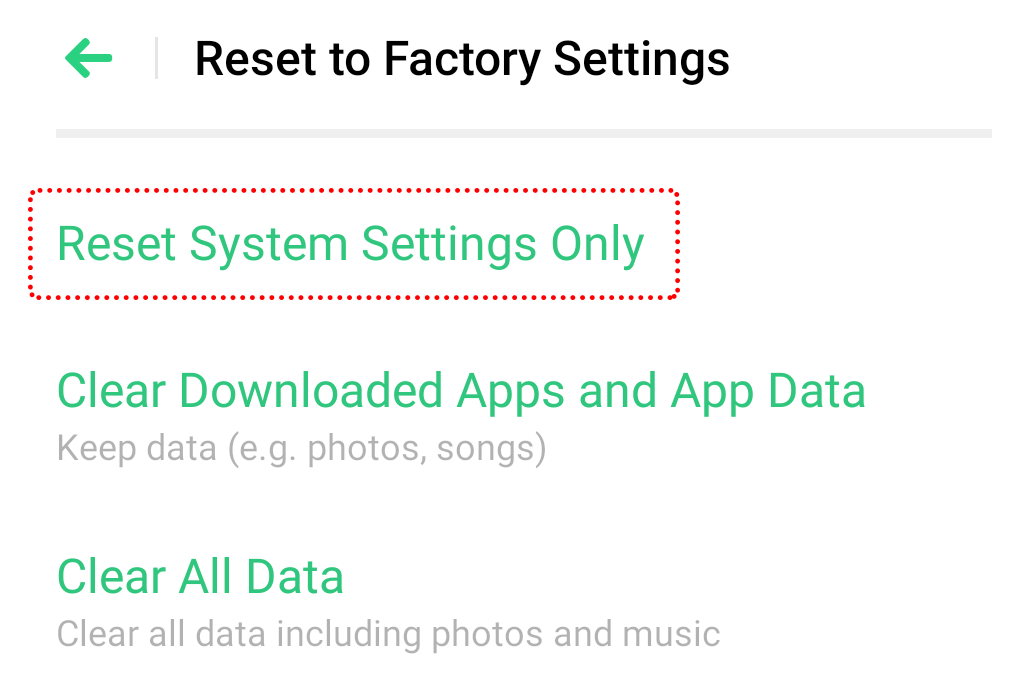
4. Backup and reset the system settings. Go to [Settings] > [Additional Settings] > [Back Up and Reset] > [Reset to Factory Settings] > [Reset System Settings Only] and enter the lock screen password to confirm. Please be assured that your data or media files will not be deleted.
If the issue persists, contact OPPO Support Team, or take your phone and earphones, proof of purchase and warranty card to a nearby OPPO Customer Service Center for further assistance.
* Pictures, settings, and paths might differ from those of your phone, but these won't affect the description in this article.
Sponsored Deals
Advertisement · Hand-picked offers, refreshed regularly
These are paid/affiliate advertisements from our partner store and are not related to OPPO or OPPO spare parts.
Related Articles
Why Whistling Sounds Happen in Bluetooth Earphones and How to Fix Them
Sponsored Deals
Advertisement · Hand-picked offers, refreshed regularly
These are paid/affiliate advertisements from our partner store and are not related to OPPO or OPPO spare parts.