Using Face Recognition to Unlock in Dimmer Lighting
Using Face Recognition to Unlock in Dimmer Lighting
Learn more on how to use face unlock in dark lighting.
Applicable to Reno Series.
With the advanced AI Recognition Technology, Face Recognition is 20 times safer than fingerprint for unlocking the phone. All you need to do is look at the screen to unlock it, within flash speed.
But, how does it work in dark lighting?
Face Recognition has the Screen Brightness Compensation Under Dim Surroundings option that automatically increases the screen brightness to detect face when it's dim.
Enable Screen Brightness Compensation
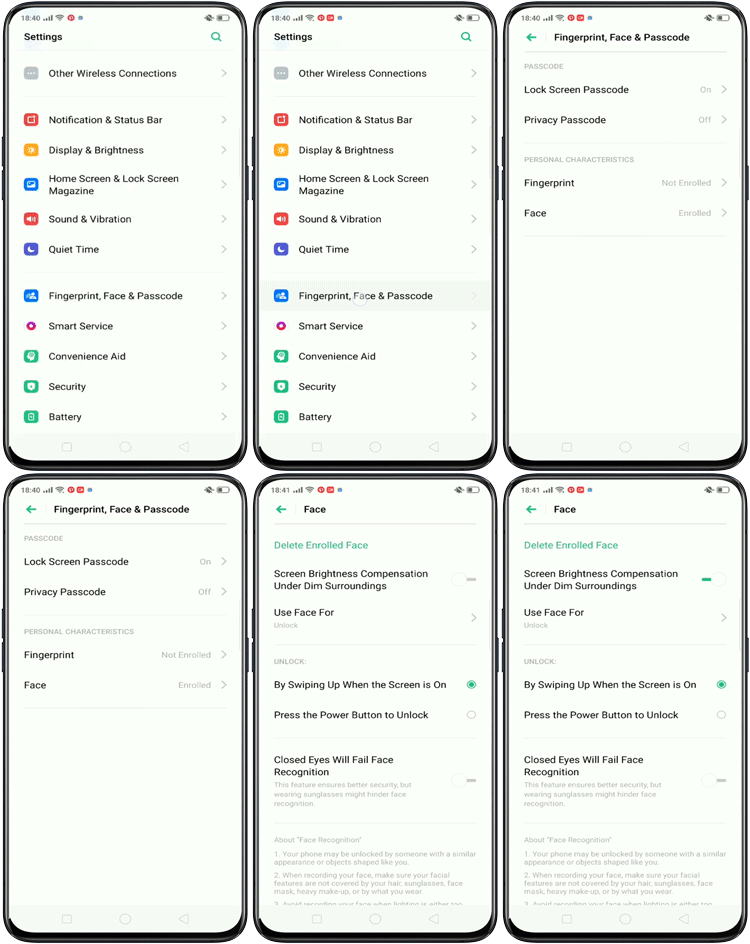
1. Go to [Settings] > [Fingerprint, Face & Passcode] > [Face].
2. When prompted, enter the lock screen passcode.
3. Toggle on [Screen Brightness Compensation Under Dim Surroundings].
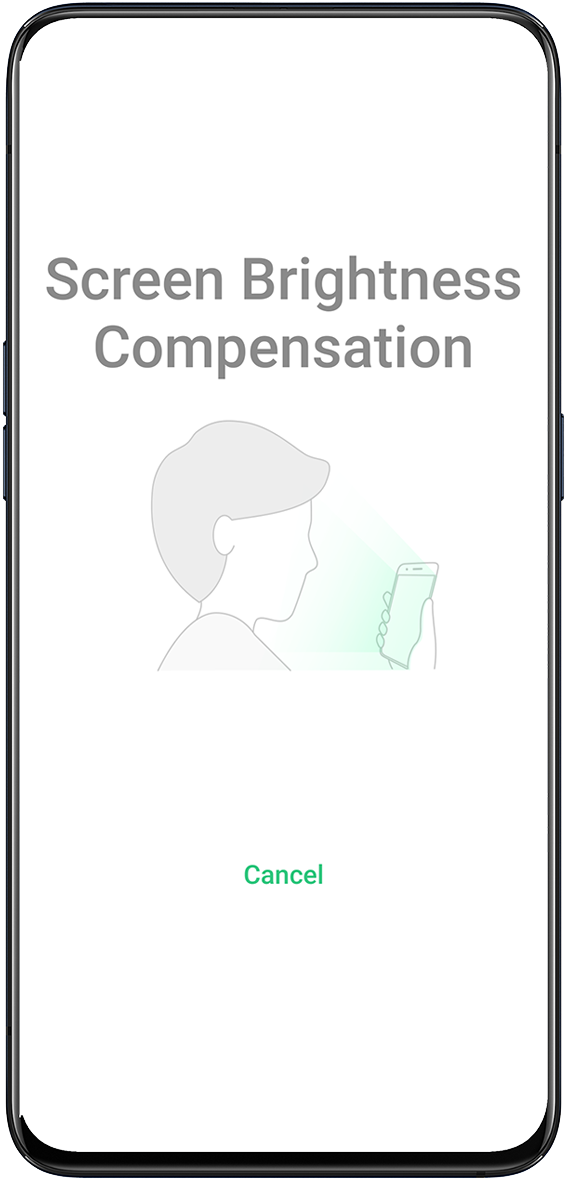
When you wake up your phone and swipe up to unlock, the screen will automatically enable Screen Brightness Compensation and start recognizing your face.
* Pictures, settings, and paths might differ from those of your phone, but these won't affect the description in this article.
Sponsored Deals
Advertisement · Hand-picked offers, refreshed regularly
These are paid/affiliate advertisements from our partner store and are not related to OPPO or OPPO spare parts.
Related Articles
The eye protection mode does not take effect when using OPPO Phone's fingerprint unlocking or face unlocking
Sponsored Deals
Advertisement · Hand-picked offers, refreshed regularly
These are paid/affiliate advertisements from our partner store and are not related to OPPO or OPPO spare parts.