Reno 10x Zoom Barcelona Theme Installation လမ္းညႊန္
Views: 0 • Likes: 0
1. application နယ္ပါယ္။
Reno 10x Zoom ဘာစီလိုနာသည္မိုဘိုင္းဖုန္းကိုစိတ္ႀကိဳက္ျပဳျပင္ၿပီး၊Barcelona theme သည္ flash လုပ္ပီးေနာက္တြင္ ေပ်ာက္ကြယ္သြားမည္ျဖစ္သည္။ဤသင္ခန္းစာသည္ဘာစီလိုနာစိတ္ႀကိဳက္အခင္းအက်င္းကိုဖုန္းထဲသို႔ျပန္လည္ထည့္သြင္းေပးၿပီး Reno 10x Zoom သာအသုံးျပဳႏိုင္သည္။
2. ႀကိဳတင္ လိုအပ္ခ်က္မ်ား။
1. ကြန္ပ်ဴတာ၌ model decryption ပတ္ဝန္းက်င္ရွိပါသည္။2. After-sale special theme installation package ကို downloaded လုပ္ထားပီးျဖစ္သည္။
3.စစ္ဆင္ေရးအဆင့္မ်ား။
1. ဖုန္းအား Flash လုပ္ပါ2. ဖုန္း၏ Engineering mode အား Decrypt လုပ္ပါ။
3. မိုဘိုင္းဖိုင္စီမံခန႔္ခြဲမႈထဲသို႔ထည့္ပါ၊ ColorOS / ThemeStore ဖိုင္တြဲလမ္းေၾကာင္းကိုရွာၿပီးဤလမ္းၫႊန္ေအာက္ရွိ InnerTheme ဖိုင္တြဲအသစ္တစ္ခုကိုဖန္တီးပါ (စာလုံးအႀကီးအေသးသတိျပဳပါ)
4. ေအာက္ေဖာ္ျပပါအတိုင္းသက္ဆိုင္ရာဖိုင္ကိုဤဖိုင္တြဲသို႔ကူးပါ။
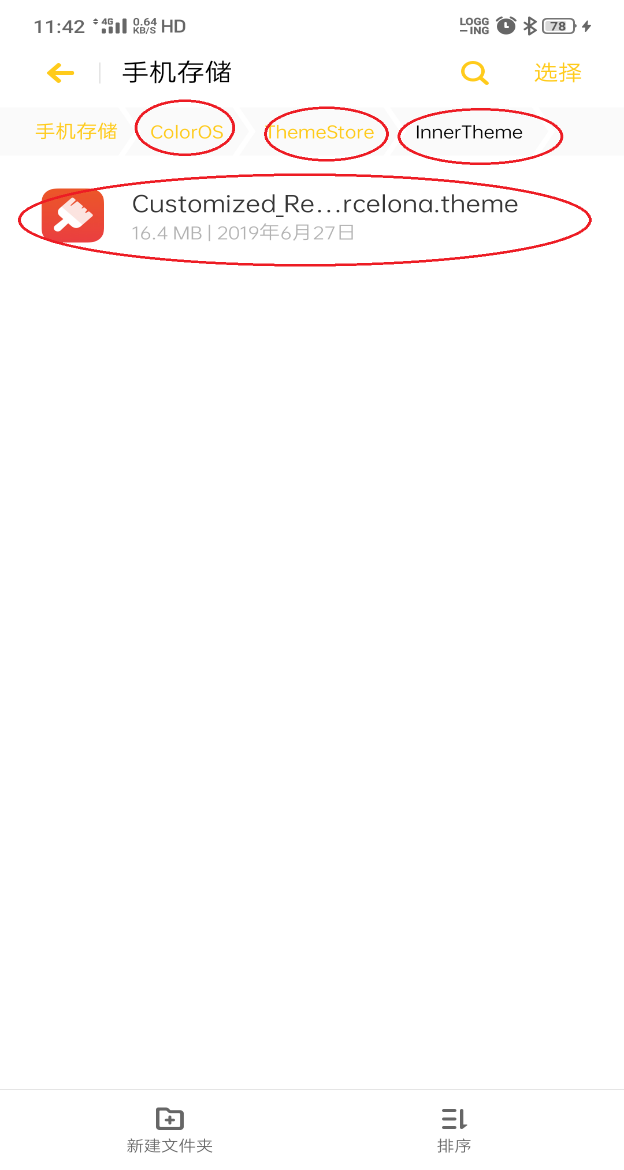
5. dial-up interface တြင္* # 8778 # ကို႐ိုက္ထည့္ပါ။ ဖုန္းျပန္လည္သတ္မွတ္ရန္ကိုႏွိပ္ပါ၊ ဖုန္းကိုဖြင့္ရန္ေစာင့္ပါ၊ ဖုန္းဖြင့္ၿပီးေနာက္အခင္းအက်င္းကိုေအာင္ျမင္စြာထည့္သြင္၍ ရမရကို စစ္ေဆးပါ။
4. ေအာင္ျမင္စြာ လွည့္ပီးေနာက္ပုံအား Effect လုပ္ပါ
1. wallpaper ကုိညွိပါ။
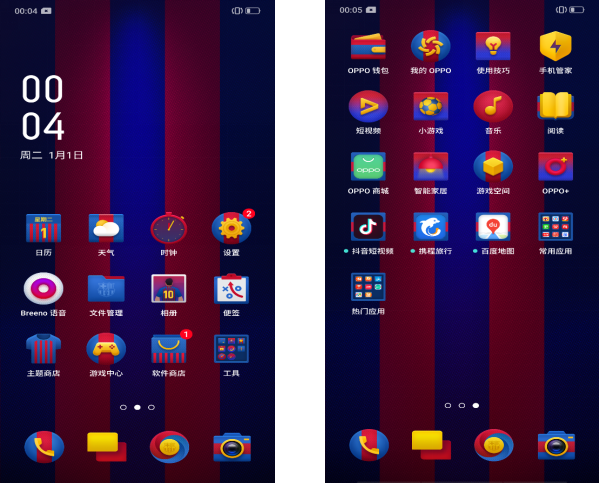
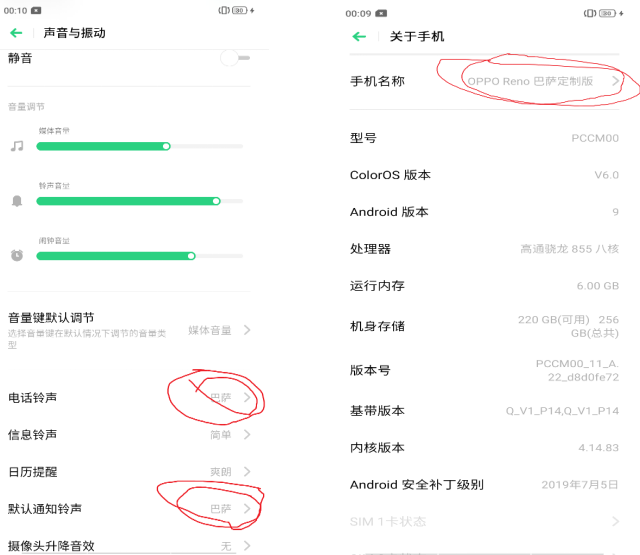
2. ေစ်းကြက္ အမည္ႏွင့္ ringtone အားညွိပါ။
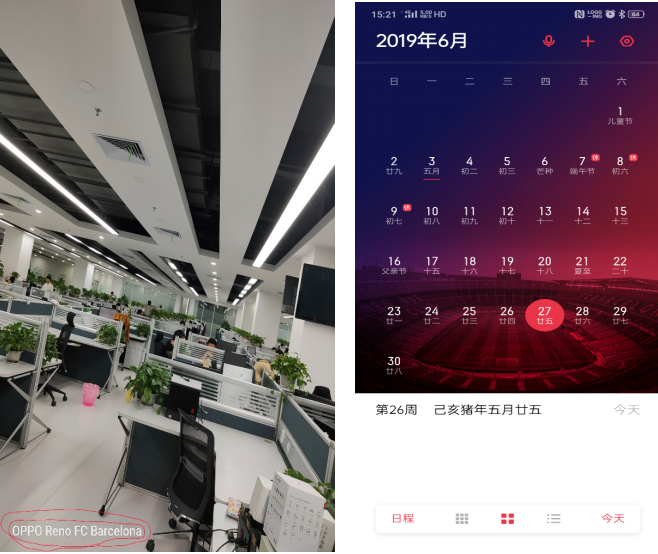
3. ပုံေရအမွတ္၊ calendar wallpaper ကိုညွိပါ။ (calendar wallpaper သည္ ျပည္တြင္းဗားရွင္းတစ္ခုတြင္သာ ရရွိႏိုင္ပါသည္)
Ad
Sponsored Deals
Advertisement · Hand-picked offers, refreshed regularly
These are paid/affiliate advertisements from our partner store and are not related to OPPO or OPPO spare parts.
Related Articles
Ad
Sponsored Deals
Advertisement · Hand-picked offers, refreshed regularly
These are paid/affiliate advertisements from our partner store and are not related to OPPO or OPPO spare parts.