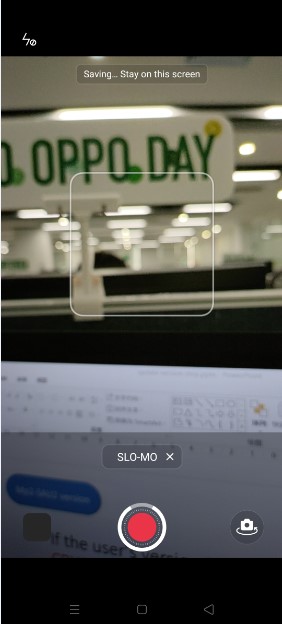
Notice: The Back button is disabled when using the SLO-MO Mode in Camera on Reno4 & Reno4 Pro
1、Background:
2、Navigation Path:
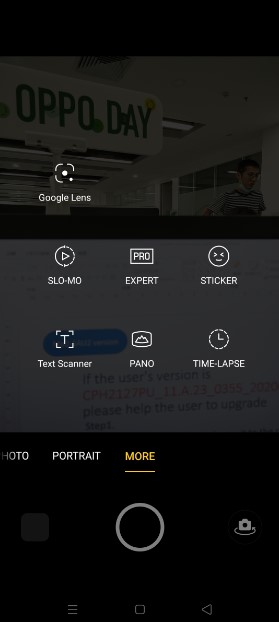
3、Reason:
4、Involved Models:
5、Script:
Q: Why does my phone have no response when I click the Back button when using the SLO-MO Mode in Camera?
A: In order to provide customers with a better experience, and to make the videos that customers shoot under the SLO-MO Mode speed more smoothly and coherently, we have added the latest “High-frame Rate” algorithm. However, the algorithm requires a lot of processes in the background. The frames take a longer time to be saved. In order to prevent the loss of video files caused by the accidental touch, we have done corresponding shielding on the Back button. If you want to exit during the video saving/shotting process, you can click the Home button to return to the Homescreen. We hope your kind understanding and supports towards us. Shall there be any other questions, please pay a visit to our Customer Service Centers for further assistance!
Sponsored Deals
Advertisement · Hand-picked offers, refreshed regularly
These are paid/affiliate advertisements from our partner store and are not related to OPPO or OPPO spare parts.
Related Articles
Notice about Google Phone cannot delete the phone number and cannot use the call button
Notice about the image will be upside down when using Messenger to take a photo in landscape mode
Sponsored Deals
Advertisement · Hand-picked offers, refreshed regularly
These are paid/affiliate advertisements from our partner store and are not related to OPPO or OPPO spare parts.