How Do I Find Apps That Are Draining the Phone Battery?
How Do I Find Apps That Are Draining the Phone Battery?
Situation: Your phone battery is getting drained faster each day and you want to find the apps that may be causing the problem.
Applicable to: ColorOS 5.0 devices. Check your ColorOS version in [Settings] > [About Phone].
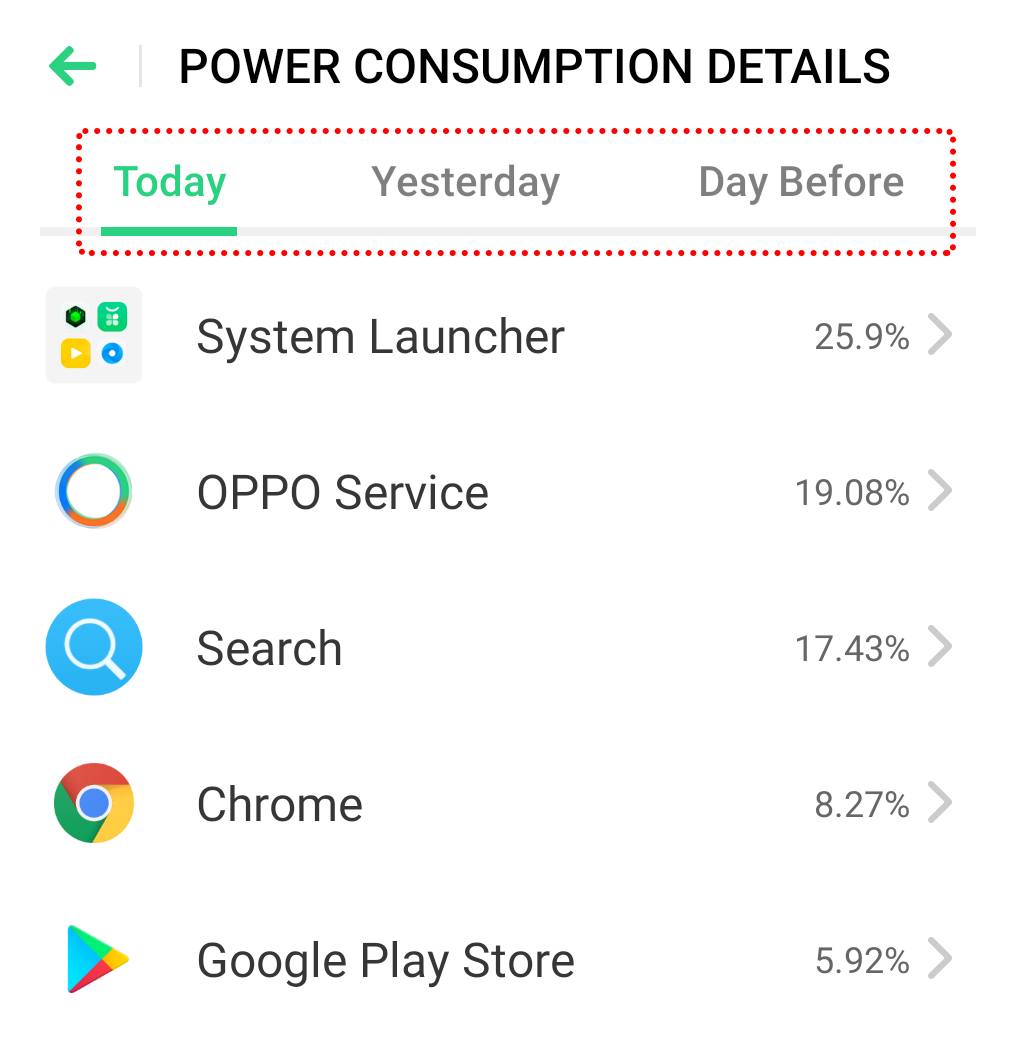
Go to [Settings] > [Battery] > [Power usage]/[POWER CONSUMPTION DETAILS] to view top apps with the highest usage. You can even view the power usage details of the previous 2 days.
Related article:
* Pictures, settings, and paths might differ from those of your phone, but these won't affect the description in this article.
Sponsored Deals
Advertisement · Hand-picked offers, refreshed regularly
These are paid/affiliate advertisements from our partner store and are not related to OPPO or OPPO spare parts.
Related Articles
Why Does Phone Heat Up, Stutter and Battery Drain Issues After Android 12 Update
Battery Draining After a Recent Software Update? Here's What You Can Do
Sponsored Deals
Advertisement · Hand-picked offers, refreshed regularly
These are paid/affiliate advertisements from our partner store and are not related to OPPO or OPPO spare parts.