What's New in the Notification Bar on F11 Pro
What's New in the Notification Bar on F11 Pro
Learn the new features added for the Notification Bar in F11 Pro.
Applicable to F11 Pro.
Set unimportant notifications
You can now mark unimportant notifications, so you will no longer be alerted for unimportant activities.
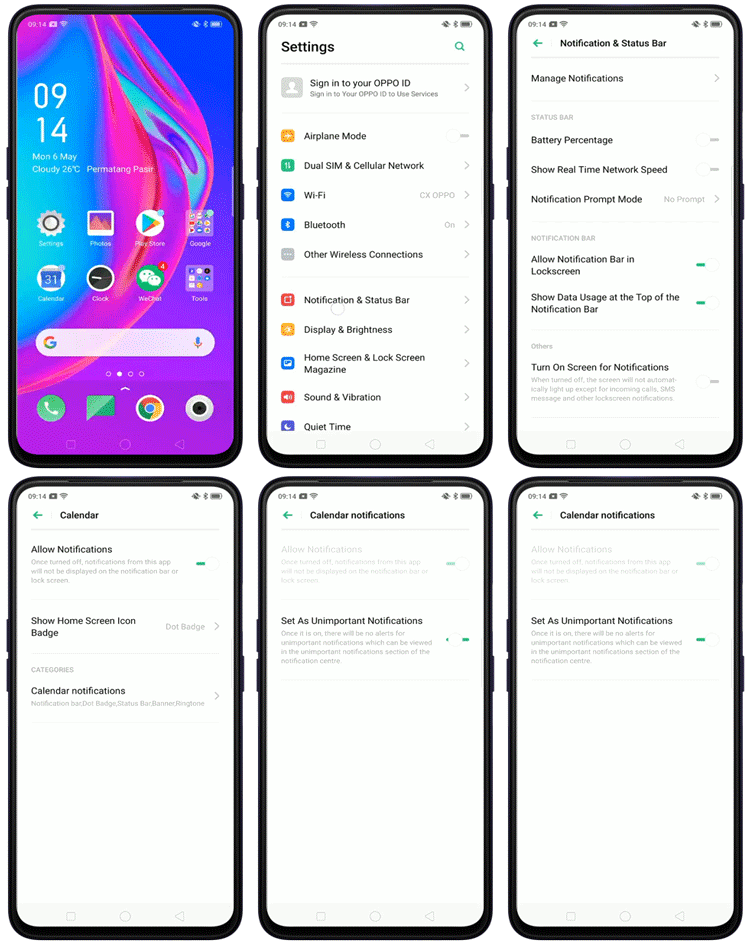
To set as unimportant notifications:
-
Go to [Settings] > [Notifications & Status Bar] > [Manage Notifications]. Tap the desired app and select the notification under the [CATEGORIES] section. Toggle to enable [Set As Unimportant Notifications].
-
Optionally, slide down from the top of the phone screen to go to the [Notification Center]. Slide left the notification you want to set as unimportant, tap
 [Settings], and toggle on [Set As Unimportant Notifications].
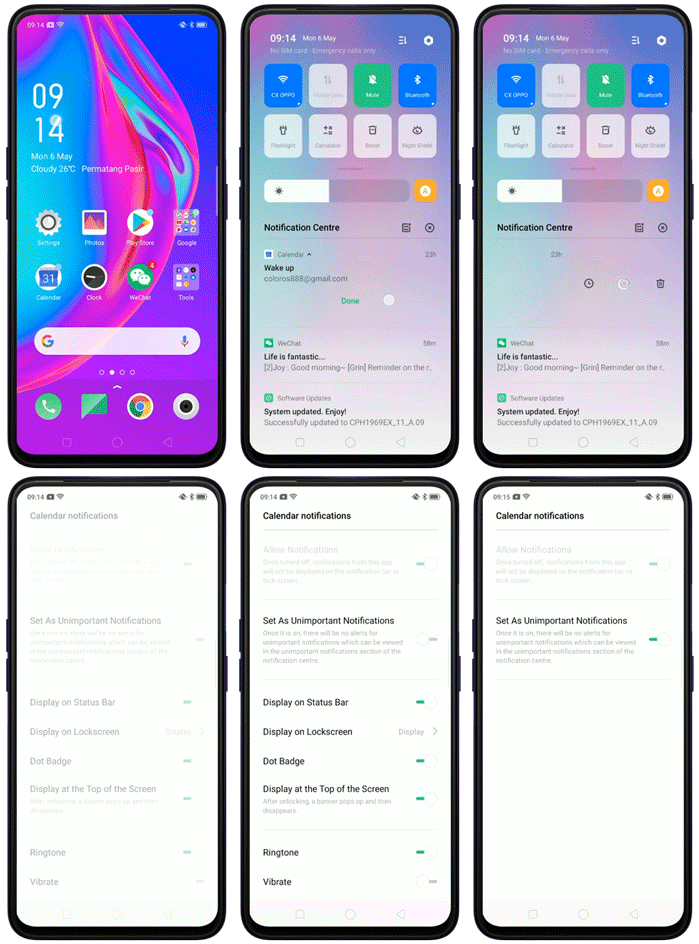
You can still view the unimportant notifications in the Unimportant Notifications section of the Notification Center. Slide down from the top of the phone screen, and tap  in the [Notification Center].

Snooze the notification reminder
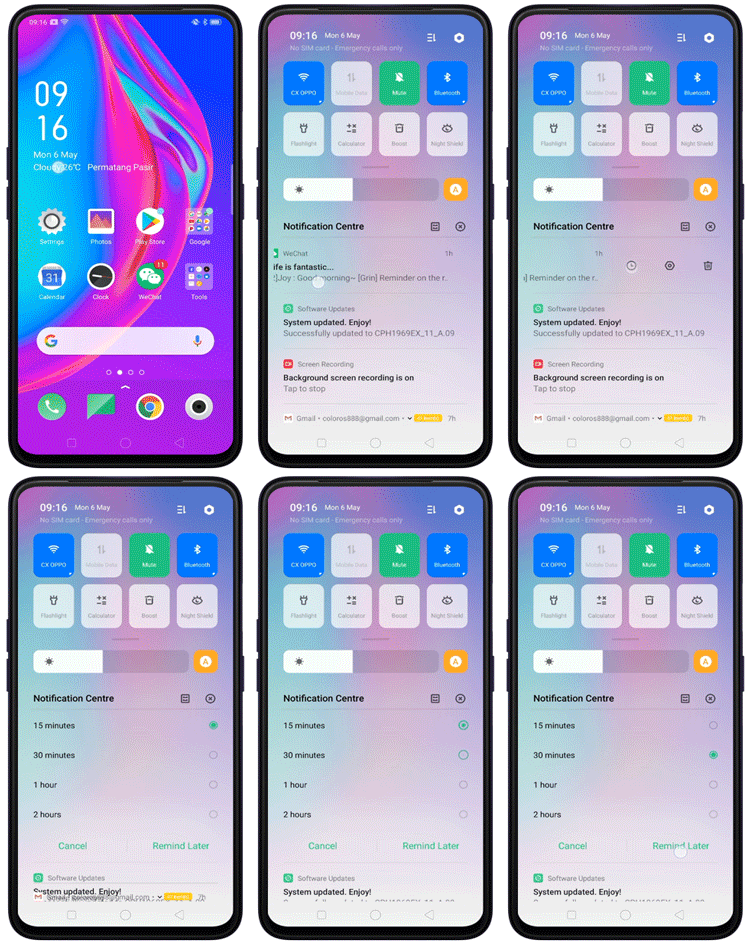
Notification delay reminder lets you postpone the alert for an app or task, so you will not forget any. In the [Notification Center] slide left the notification and tap  . Choose the delay time and tap [Remind Later].
Sponsored Deals
Advertisement · Hand-picked offers, refreshed regularly
These are paid/affiliate advertisements from our partner store and are not related to OPPO or OPPO spare parts.
Related Articles
Sponsored Deals
Advertisement · Hand-picked offers, refreshed regularly
These are paid/affiliate advertisements from our partner store and are not related to OPPO or OPPO spare parts.