Unable to Send or Receive Emails on OPPO Phone
Unable to Send or Receive Emails on OPPO Phone
Situation: You are unable to send or receive emails on your phone.
Applicable to: All OPPO Smartphones.
1. Ensure phone is connected to Internet and has stable connection.
2. Go to [Settings] > [Software Updates] to check for and update your phone's software to the latest version.
3. Check if the email application is up to date. Open [Play Store] and on the top left corner, tap the menu icon , tap [My apps & games]. In the [Updates] tab, locate the email app and tap [Update].
4. For work emails, make sure to enter the correct server settings when you manually setup the email on the phone. If unsure, contact your local IT.
5. Allow all permissions of the email app in [Settings] > [App Management] > [Show System Process] > Select email application > [Permissions] and toggle on all permissions.
6. Restart the phone.
7. Remove and re-add the email account in [Settings] > [Accounts and Sync]. See How to Remove an Account from OPPO Phone? and How to Add Additional Email Accounts on the Phone?
8. Clear the email app data and cache from [Settings] > [App Management] > [Show System Process] > Select email application > [Storage Usage] > [Clear Cache] > [Clear Data].
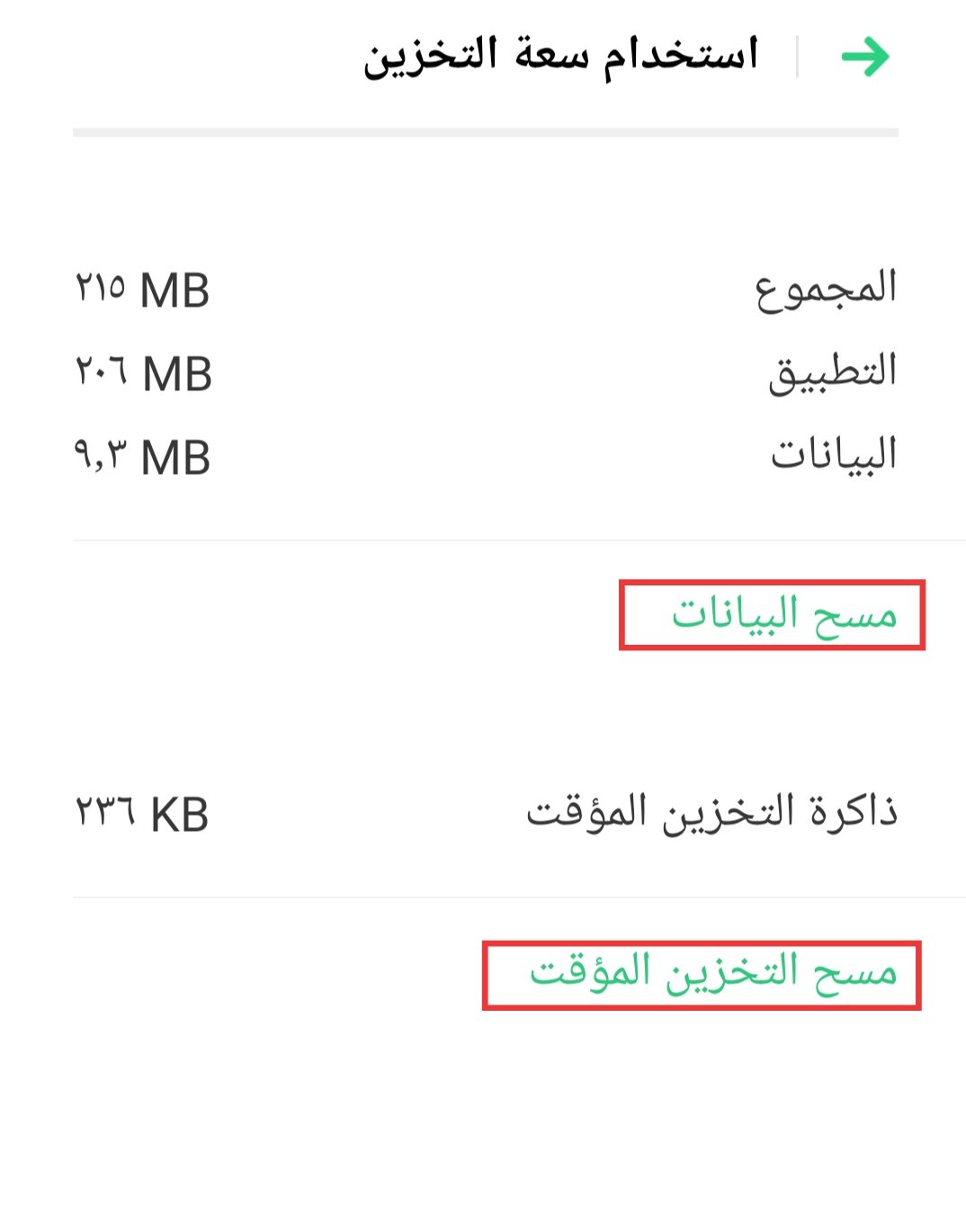
In some devices, you may need to go to [Settings] > [Additional Settings] > [App management] > [All] > Select email application > [Storage Usage] > [Clear Cache] > [Clear Data].
9. Uninstall and reinstall the email app (for third-party apps).
If the issue still persists, contact OPPO Support Team, or take your phone, proof of purchase and warranty card to a nearby OPPO Customer Service Center.
* Pictures, settings, and paths might differ from those of your phone, but these won't affect the description in this article.
Sponsored Deals
Advertisement · Hand-picked offers, refreshed regularly
These are paid/affiliate advertisements from our partner store and are not related to OPPO or OPPO spare parts.
Related Articles
Why Do I Receive Access Requests from the Fitbit App on My OPPO Phone?
Sponsored Deals
Advertisement · Hand-picked offers, refreshed regularly
These are paid/affiliate advertisements from our partner store and are not related to OPPO or OPPO spare parts.