Reno 10x Zoom Barcelona Theme Installation Guide
1. Scope of application:
Reno 10x Zoom Barcelona customized mobile phone. The Barcelona theme will lost after flashing.
This tutorial reinstalls the Barcelona customized theme into the phone and only Reno 10x Zoom is applicable.
2. Prerequisites:
2.1 The computer has a model decryption environment
2.2 After-sale special theme installation package has been downloaded
3. Operation steps:
3.1 Flash the phone
3.2 Decrypt the Engineering mode of the phone
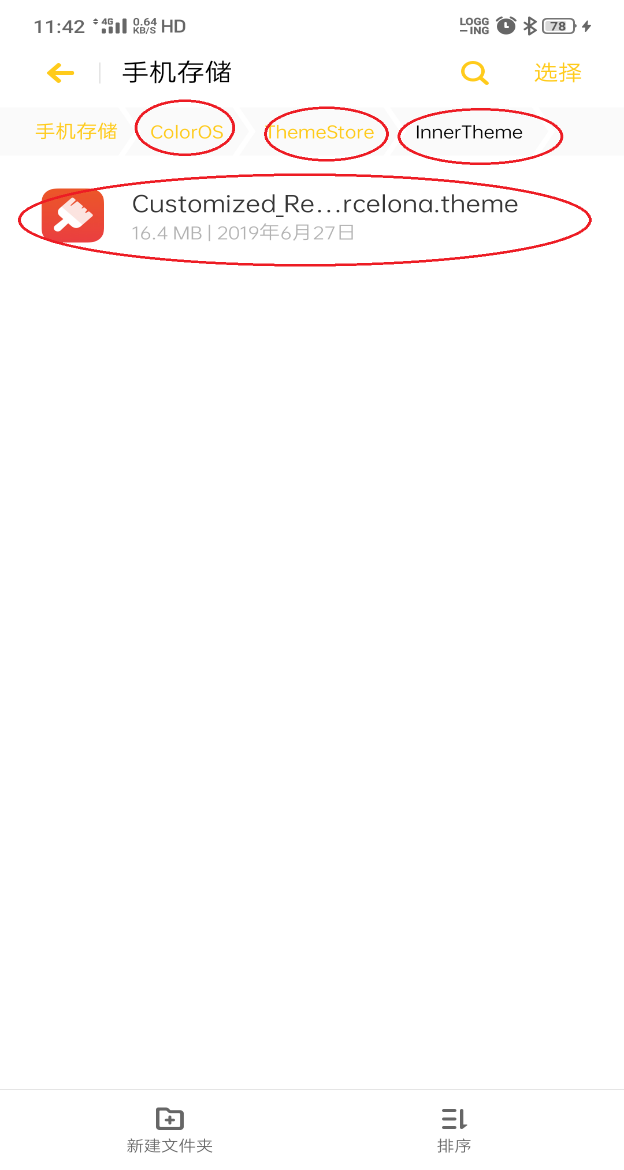
3.3 Enter the mobile file management, find the folder path ColorOS / ThemeStore, and create a new folder InnerTheme under this directory (note that it is case sensitive)
3.4 Copy the corresponding theme file to this folder, as shown below:
3.5 Enter the dial-up interface, enter the command * # 8778 #, click Reset Phone, wait for the phone to turn on, and check whether the theme is successfully installed after the phone is turned on.
4. Effect picture after successful switching:
4.1 Custom wallpaper:
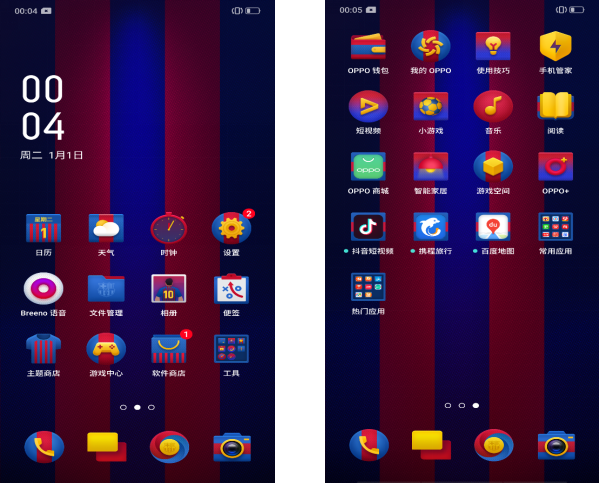
4.2 Custom marketing name and ringtone
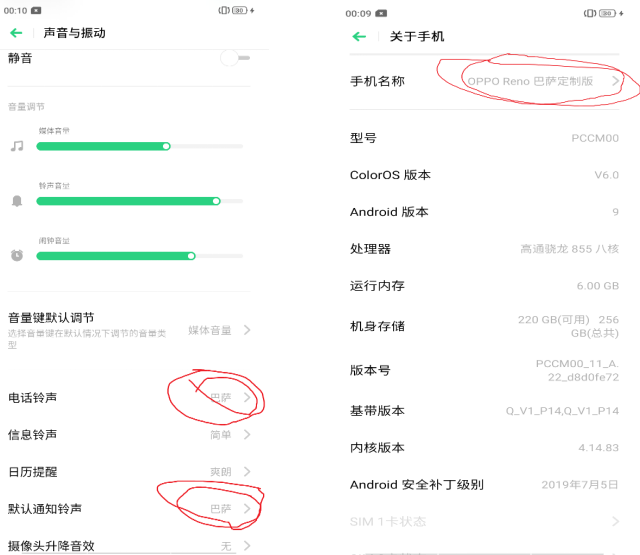
3. Custom photo watermark, calendar wallpaper (calendar wallpaper is only available in domestic version)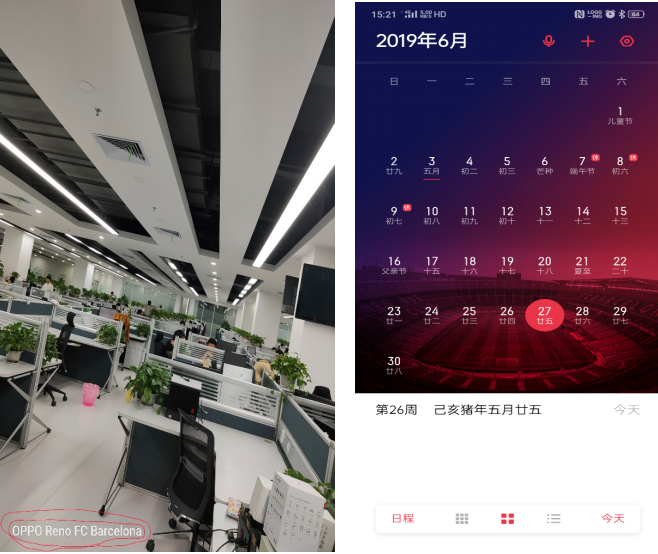
Sponsored Deals
Advertisement · Hand-picked offers, refreshed regularly
These are paid/affiliate advertisements from our partner store and are not related to OPPO or OPPO spare parts.
Related Articles
Sponsored Deals
Advertisement · Hand-picked offers, refreshed regularly
These are paid/affiliate advertisements from our partner store and are not related to OPPO or OPPO spare parts.