OPPO Email တြင္ Yahoo & Google Email Account Logged မလုပ္ႏုိင္ျခင္းအတြက္ အသိေပးမႈ
Views: 3 • Likes: 0
Model Involved
built-in OPPO Email ရွိေသာ A33、A37、F1f、F1Plus(X9009)、A57、A39、F3、F3P、F1S、A57Background
လက္ရွိတြင္ VN, IN user မွ ၎ Yahoo & Google email account သည္ OPPO email တြင္ logged မလုပ္ႏုိင္သည့္ feedback ကို ရရွိထားပါသည္။ ၎တြင္ Server connection error ဟု notification တက္လာသည္။Solution
|
Script
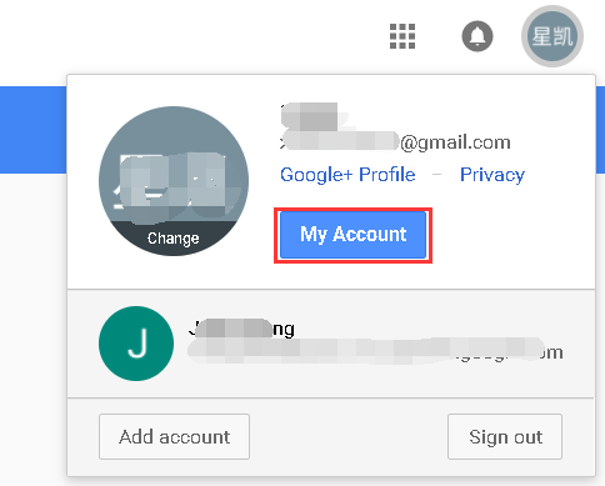
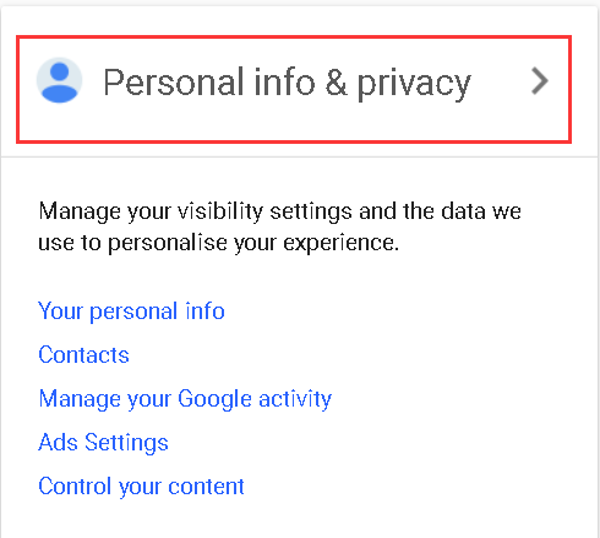
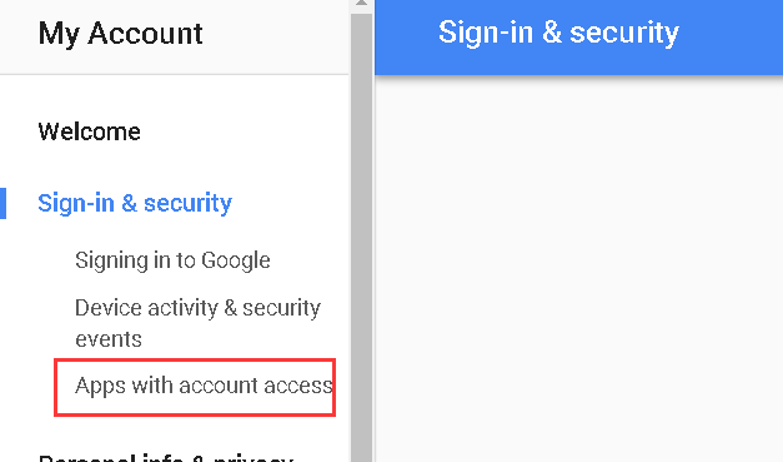
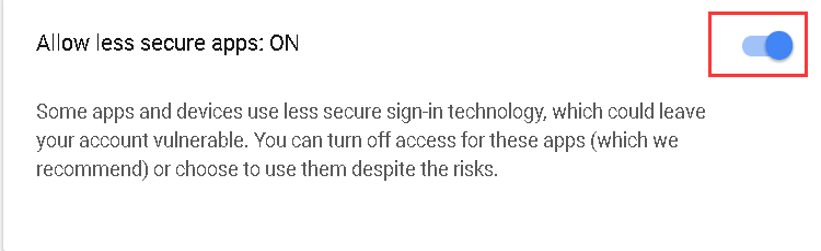
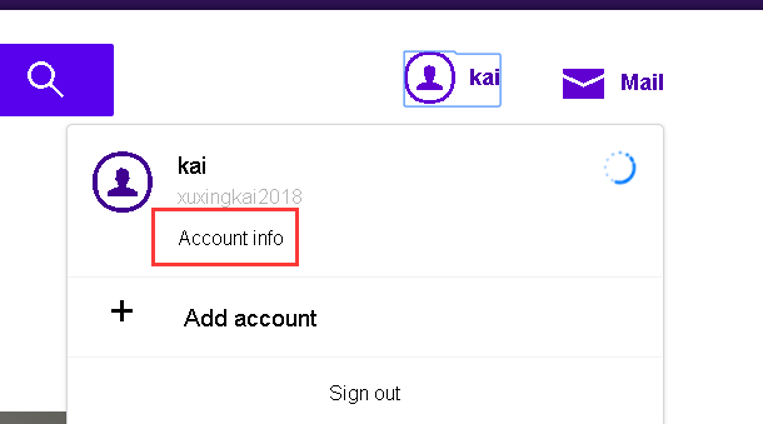
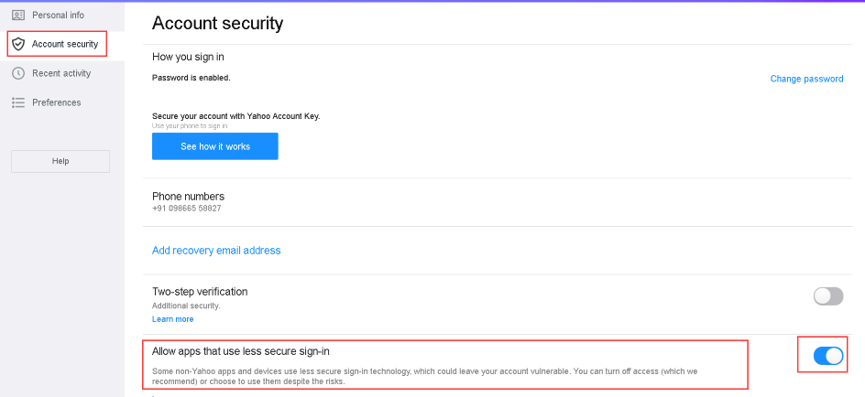
မဂၤလာပါ။ account security ႏွင့္ user privacy ကိုကာကြယ္ရန္ Google ႏွင့္ Yahoo သည္ security permission စစ္ေဆးခ်က္ကုိ server connection အား error ျဖစ္ေစေသာ third-party email login ကို ျမွင္တင္ထားသည္။ သင္သည္ အရင္ဦးဆံုး PC တြင္ သင့္ Google/Yahoo account ကို login လုပ္ႏုိင္သည္။ ထို႕ေနာက္ website အေပၚပိုင္းရွိ account menu အား click လုပ္ပါ။ --- My Account – Personal info & Privacy – Signing in to Google – Allow less secure apps – ခလုတ္ကိုႏွိပ္ပီး OPPO Email တြင္ logged in လုပ္၍ ရမရကုိ စစ္ေဆးရန္ ၂ စကၠန္႕မွ် ေစာင့္ၾကည့္ပါ။ ဆက္လက္၍ က်ရႈံးေနမည္ဆိုလွ်င္ အကူအညီ ရရန္ သင့္အား ကၽြန္ေတာ္တို႕၏ service center ကိုသြားရန္ အၾကံေပးခ်င္ပါသည္။Ad
Sponsored Deals
Advertisement · Hand-picked offers, refreshed regularly
These are paid/affiliate advertisements from our partner store and are not related to OPPO or OPPO spare parts.
Related Articles
Google မွ ဖုန္းကို အသုံးျပဳျခင္းအားျဖင့္ အခ်က္ျပ မေထာက္ပ့ံျခင္းအေၾကာင္း သတိေပးခ်က္
Views: 1 • Likes: 0
Read ArticleGoogle Messages ၌ Spam Messages ရောက်နေခြင်းကိုမည်သို့ ရပ်တန့်အောင်လုပ်ရမည်နည်း။
Views: 7.1K • Likes: 52
Read ArticleAd
Sponsored Deals
Advertisement · Hand-picked offers, refreshed regularly
These are paid/affiliate advertisements from our partner store and are not related to OPPO or OPPO spare parts.