How to Activate Call Waiting on Your OPPO Phone
You don't want to miss any calls, so even if you are on a call, you still want to answer it. This is possible with your OPPO phone. Activate the Call Waiting feature now. Read on to follow the easy steps to activate it!
Activate Call Waiting
Go to [Settings] > [System Apps] > [Call] > [Carrier Call Settings] > [Additional Settings] and toggle on [Call Waiting].
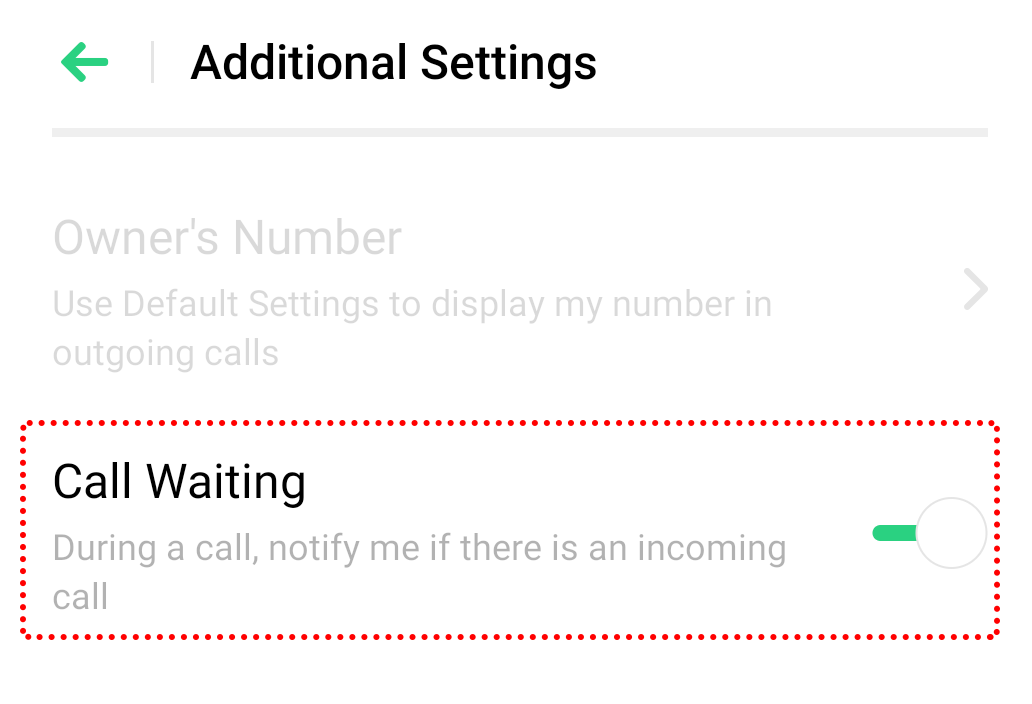
You will hear a beep tone that alerts you to the incoming call. If you answer the new incoming call, the original call will be placed on hold.
Additional information: Once Call Waiting is activated, it remains on until you turn it off.
Related article:
* Pictures, settings, and paths might differ from those of your phone, but these won't affect the description in this article.
Sponsored Deals
Advertisement · Hand-picked offers, refreshed regularly
These are paid/affiliate advertisements from our partner store and are not related to OPPO or OPPO spare parts.
Related Articles
Sponsored Deals
Advertisement · Hand-picked offers, refreshed regularly
These are paid/affiliate advertisements from our partner store and are not related to OPPO or OPPO spare parts.