How to Access Battery Usage Information on OPPO Phone?
How to Access Battery Usage Information on OPPO Phone?
Situation: You want to check detailed power consumption information for each apps, including foreground active time and background activity time.
Applicable to: ColorOS 5.0 devices. Check your ColorOS version in [Settings] > [About Phone].
Go to [Settings] > [Battery] > [Power usage]/[POWER CONSUMPTION DETAILS] and tap the app you want to see the power usage information.
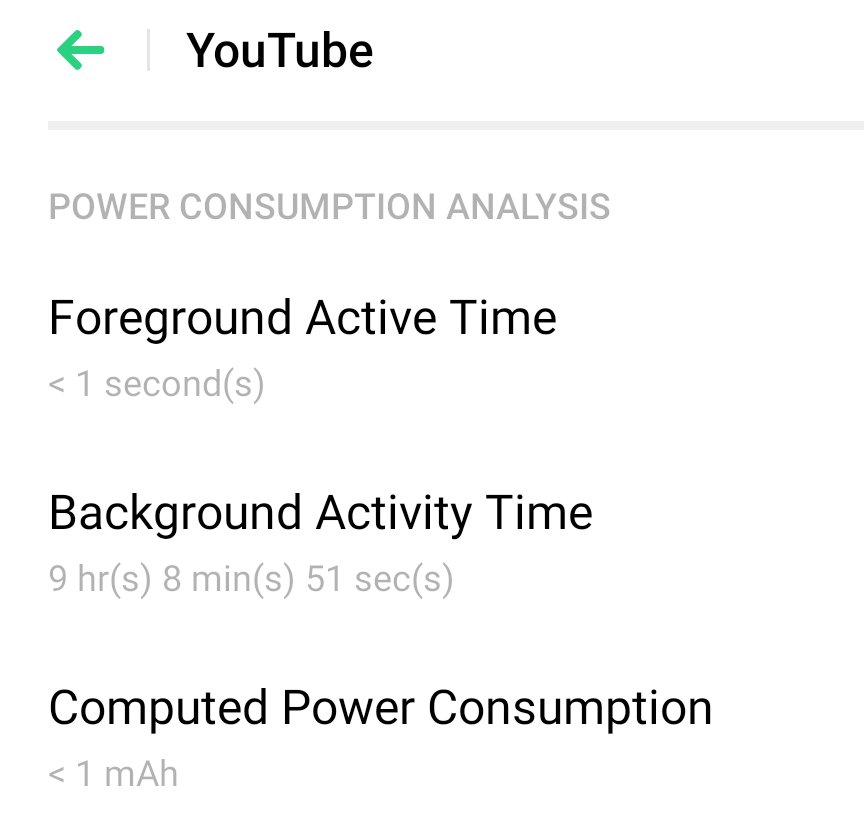
-
Foreground Active Time: Total time when the app is actively used and displayed on the screen
-
Background Activity Time: Total time when the app is not actively used but runs in the background
-
Computed Power Consumption: Power used by the application to run in foreground and background
* Pictures, settings, and paths might differ from those of your phone, but these won't affect the description in this article.
Sponsored Deals
Advertisement · Hand-picked offers, refreshed regularly
These are paid/affiliate advertisements from our partner store and are not related to OPPO or OPPO spare parts.
Related Articles
Sponsored Deals
Advertisement · Hand-picked offers, refreshed regularly
These are paid/affiliate advertisements from our partner store and are not related to OPPO or OPPO spare parts.