How Can I Check My Points Balance in OPPO App Market?
How Can I Check My Points Balance in OPPO App Market?
Situation: You want to check your points in App Market.
Applicable to: ColorOS 3.0 and above devices. Check your ColorOS version in [Settings] > [About Phone].
To view your earned points, open [App Market] > [General] > [Points].
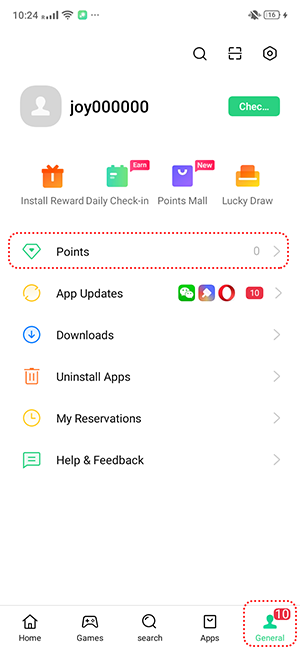
Optionally, you can also see your remaining points in Points Mall or Install Reward.
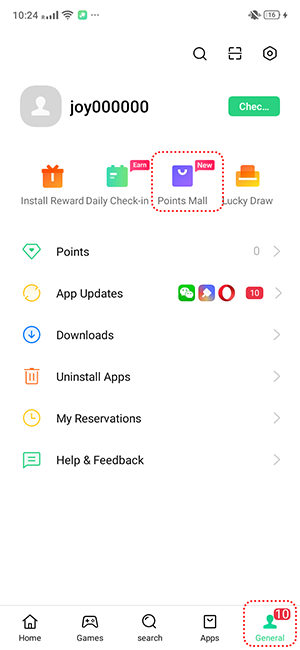
* App Market features may vary across phone models, region and device compatibility. Some options may not be available in your device.
* Pictures, settings, and paths might differ from those of your phone, but these won't affect the description in this article.
Sponsored Deals
Advertisement · Hand-picked offers, refreshed regularly
These are paid/affiliate advertisements from our partner store and are not related to OPPO or OPPO spare parts.
Related Articles
What Kind of Coupons Can I Redeem from the Points Mall in App Market?
Sponsored Deals
Advertisement · Hand-picked offers, refreshed regularly
These are paid/affiliate advertisements from our partner store and are not related to OPPO or OPPO spare parts.