Bookmark the Key Points in Your Audio Recording
Bookmark the Key Points in Your Audio Recording
Learn about the tag feature in the F11 Pro's Recorder app.
Applicable for F11 Pro.
Listening to long audio recordings of your meetings or classes can be exhausting.
Understanding the tag feature
With the tag feature, you can now bookmark audio clips with tags for quick reference. To add a tag, start recording and tap .png) . Tap
. Tap  to save the recording.
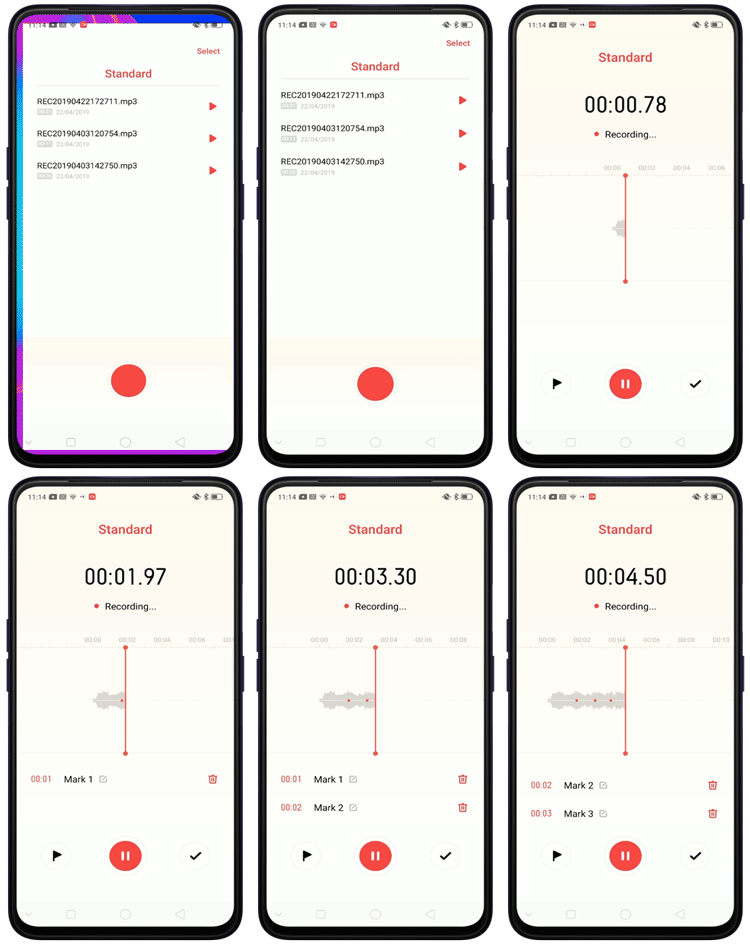
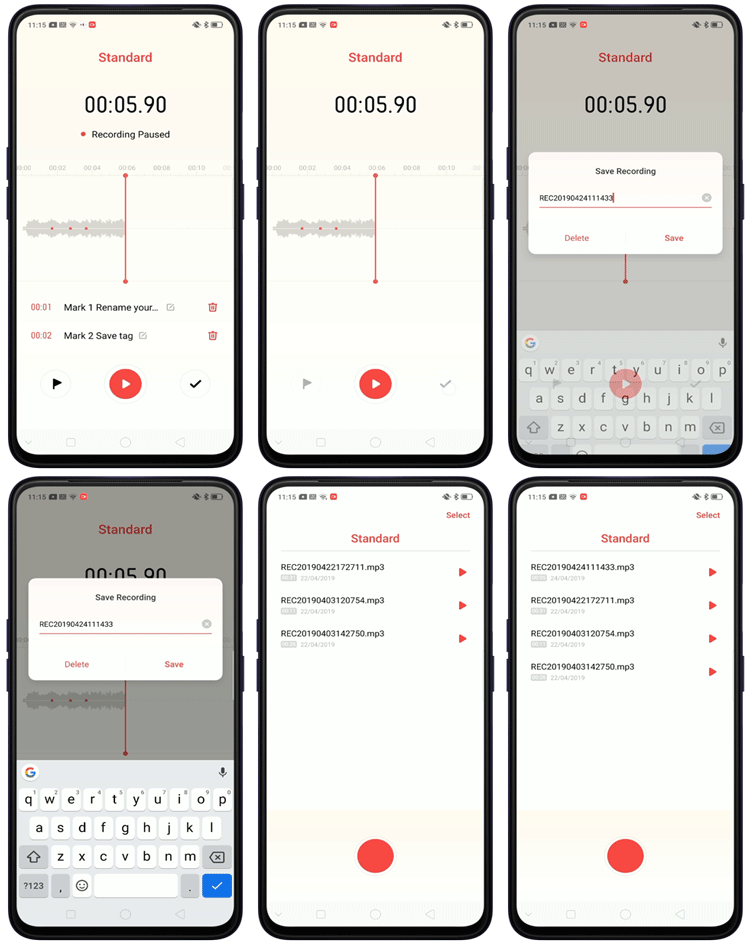
Time-coded. You can almost instantly go to the important points within the audio sequence by tapping the time-code for each tag.
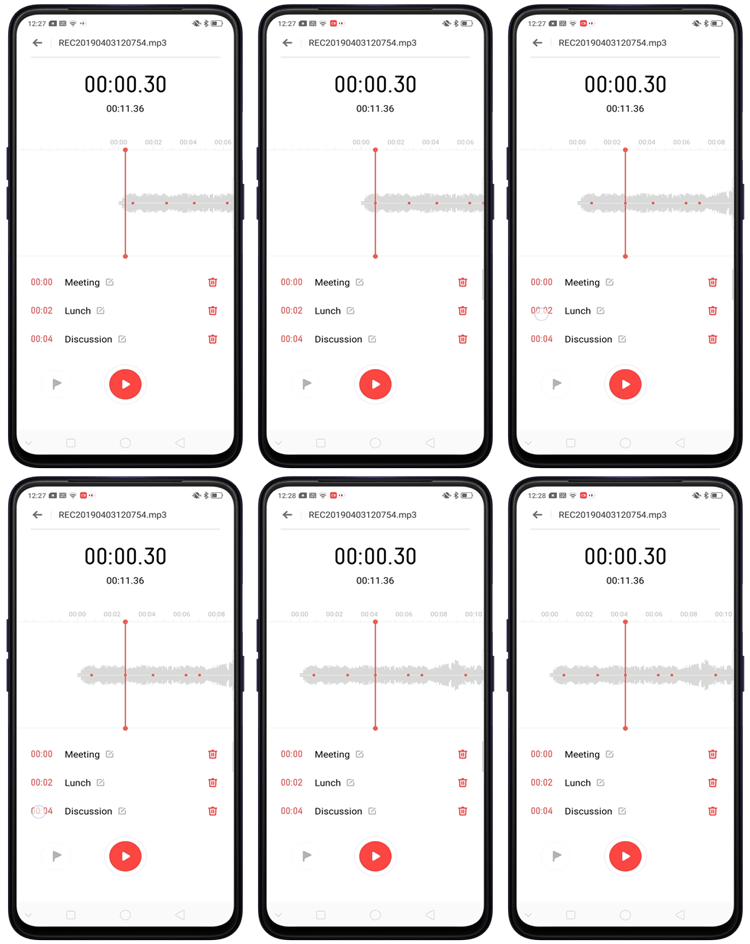
Unlimited number of tags. The recorder gives you an unlimited number of tags per clip.
Tag existing audio clip. You can also tag existing audio files as you listen.
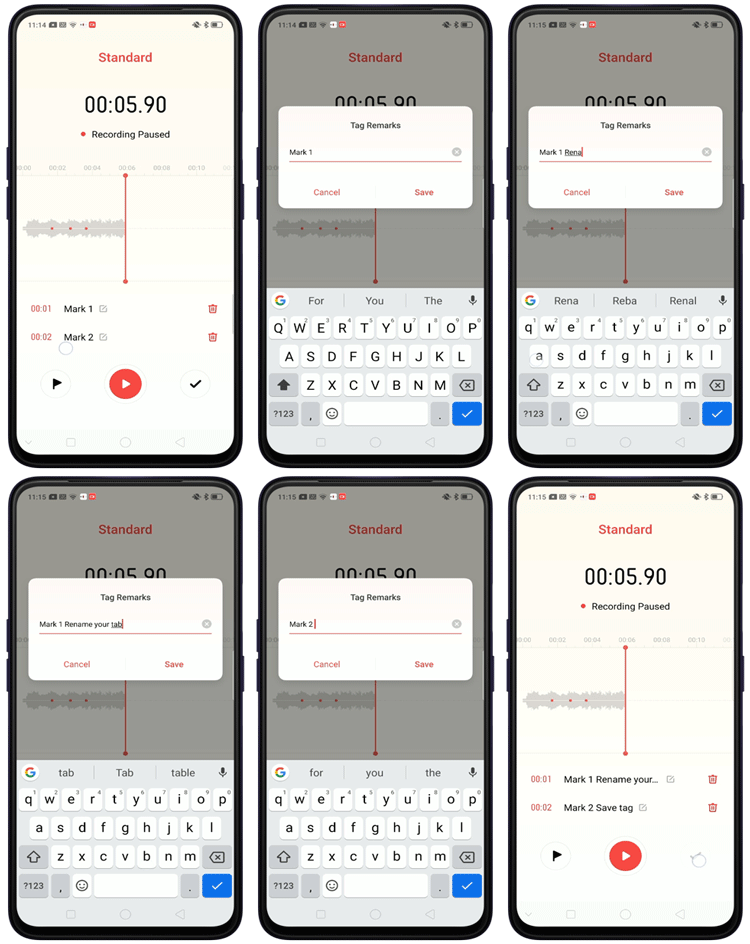
Add Remarks. You can rename the tag with up to 50 characters in the Tag Remarks box. Tap the tag, enter remarks and tap [Save].
Sponsored Deals
Advertisement · Hand-picked offers, refreshed regularly
These are paid/affiliate advertisements from our partner store and are not related to OPPO or OPPO spare parts.
Related Articles
Sponsored Deals
Advertisement · Hand-picked offers, refreshed regularly
These are paid/affiliate advertisements from our partner store and are not related to OPPO or OPPO spare parts.