AI Food Scene: Captures Delicious Photos
AI Food Scene: Captures Delicious Photos
Learn how does the AI Food Scene captures stunning dish photos on your phone.
Applicable to OPPO F11 Pro and Reno.
The AI Food scene in the camera automatically highlights and adjusts the colour of the dish, making it to appear even more appetizing. The sides and background of the dish is blurred to highlight the dish.
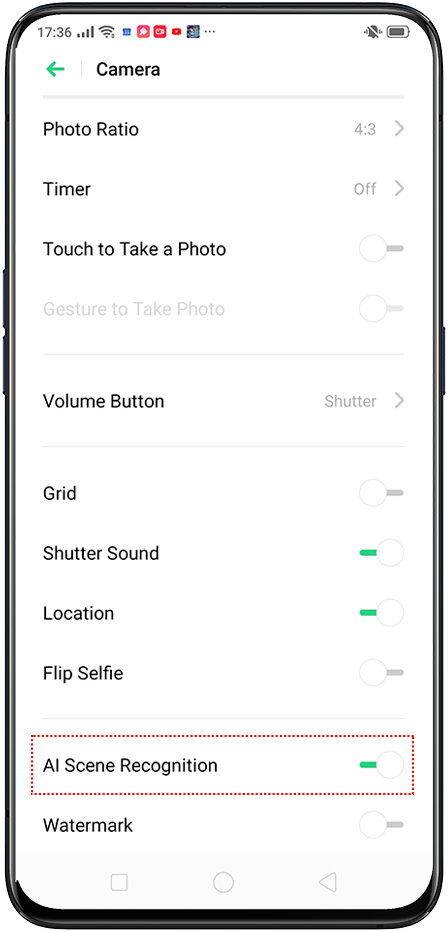
To activate the AI Food scene, open the [Camera] app, and tap  [Settings] on the top right corner. Toggle on [AI Scene Recognition] and go back to the camera. Wait for the camera to recognize your meal and start taking mouth-watering shots.
The following are examples of food pictures taken without and with the Food scene.
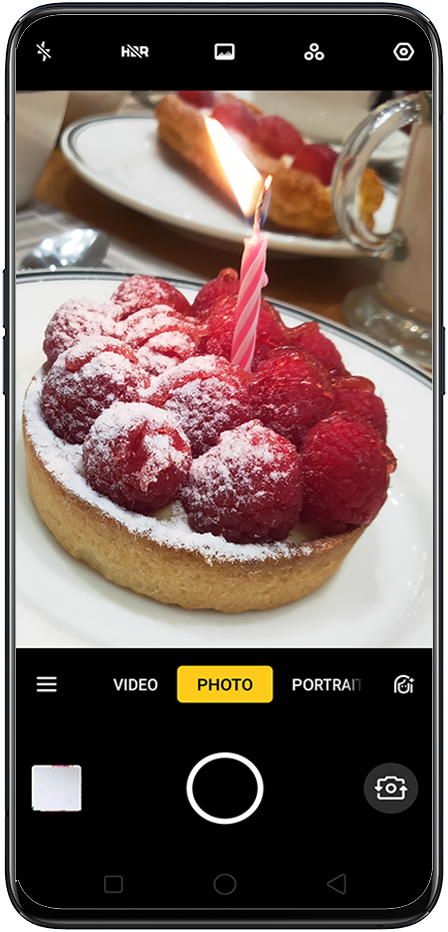
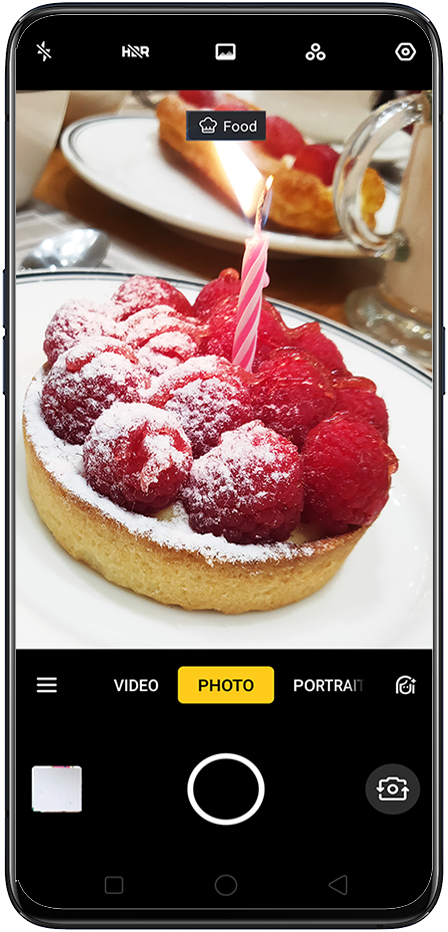
It's that simple. Now share the pictures and enjoy your meal!
Check AI Scene Recognition to learn more.
* Pictures, settings, and paths might differ from those of your phone, but these won't affect the description in this article.
Sponsored Deals
Advertisement · Hand-picked offers, refreshed regularly
These are paid/affiliate advertisements from our partner store and are not related to OPPO or OPPO spare parts.
Related Articles
Sponsored Deals
Advertisement · Hand-picked offers, refreshed regularly
These are paid/affiliate advertisements from our partner store and are not related to OPPO or OPPO spare parts.