AI Features
Open Mind Space Ask Questions on OPPO Phones
11 steps · works on 5 OPPO devices
- 1
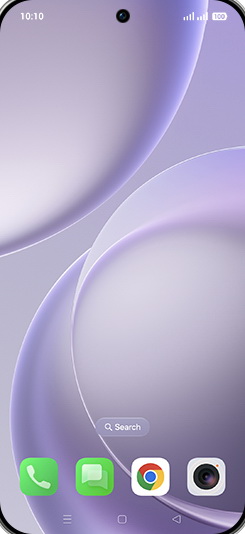
Swipe Up.
- 2
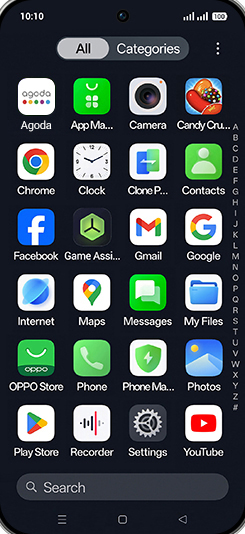
Tap on Settings icon.
- 3
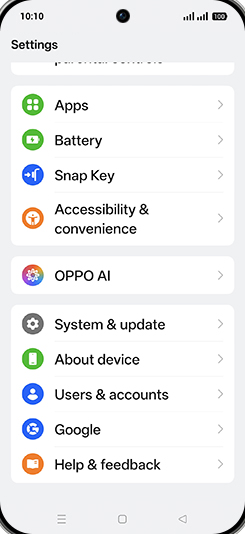
Tap on OPPO AI.
- 4
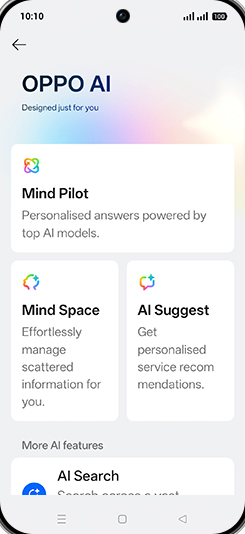
Tap on Mind Space.
- 5
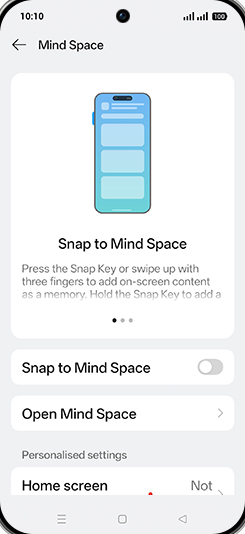
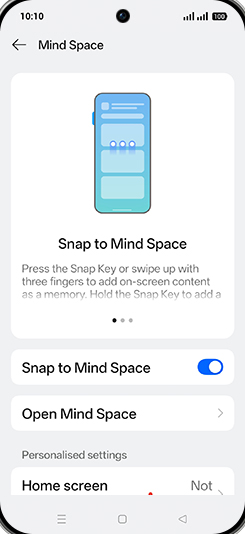
Tap on Snap to Mind Space to turn ON.
- 6
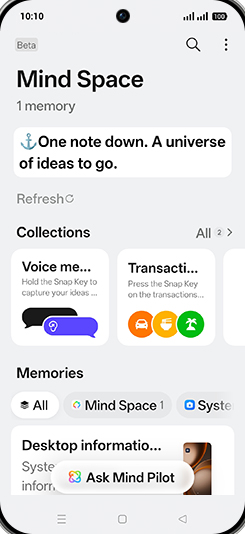
Tap on Open Mind Space.
- 7
Tap on Ask Mind Pilot.
- 8
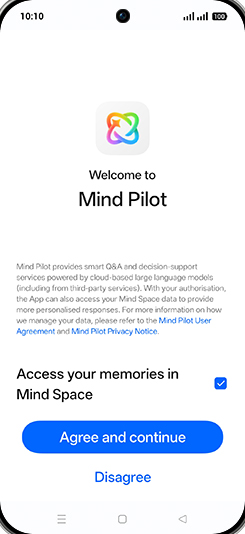
Tap on Agree and continue.
- 9
Tap on Search bar.
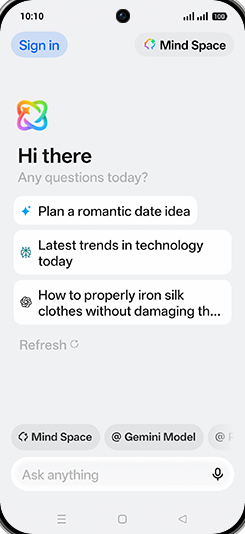
- 10
Type anything you want ask.
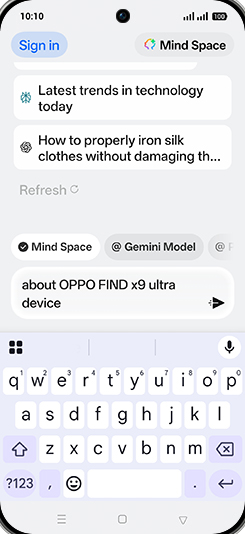
- 11
Check response.
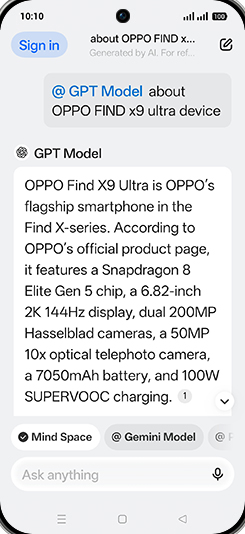
Screenshots shown from OPPO Find X9s; steps are the same across every supported device below.
Also works on
Same steps, your device's own screenshots.
View on OPPO: Open Mind Space Ask Questions on the official OPPO site