Why Is My OPPO Camera Very Slow to Open?
Why Is My OPPO Camera Very Slow to Open?
Learn what to do if your camera is so slow to open.
Applicable to all OPPO smartphones.
Has your camera been super slow to open lately? Wondering if there's some way to fix it?
Follow these methods!
-
Close all background apps by tapping [Multitask/ Recent task
 ] > [Close
  ] at the bottom of the screen.
 -
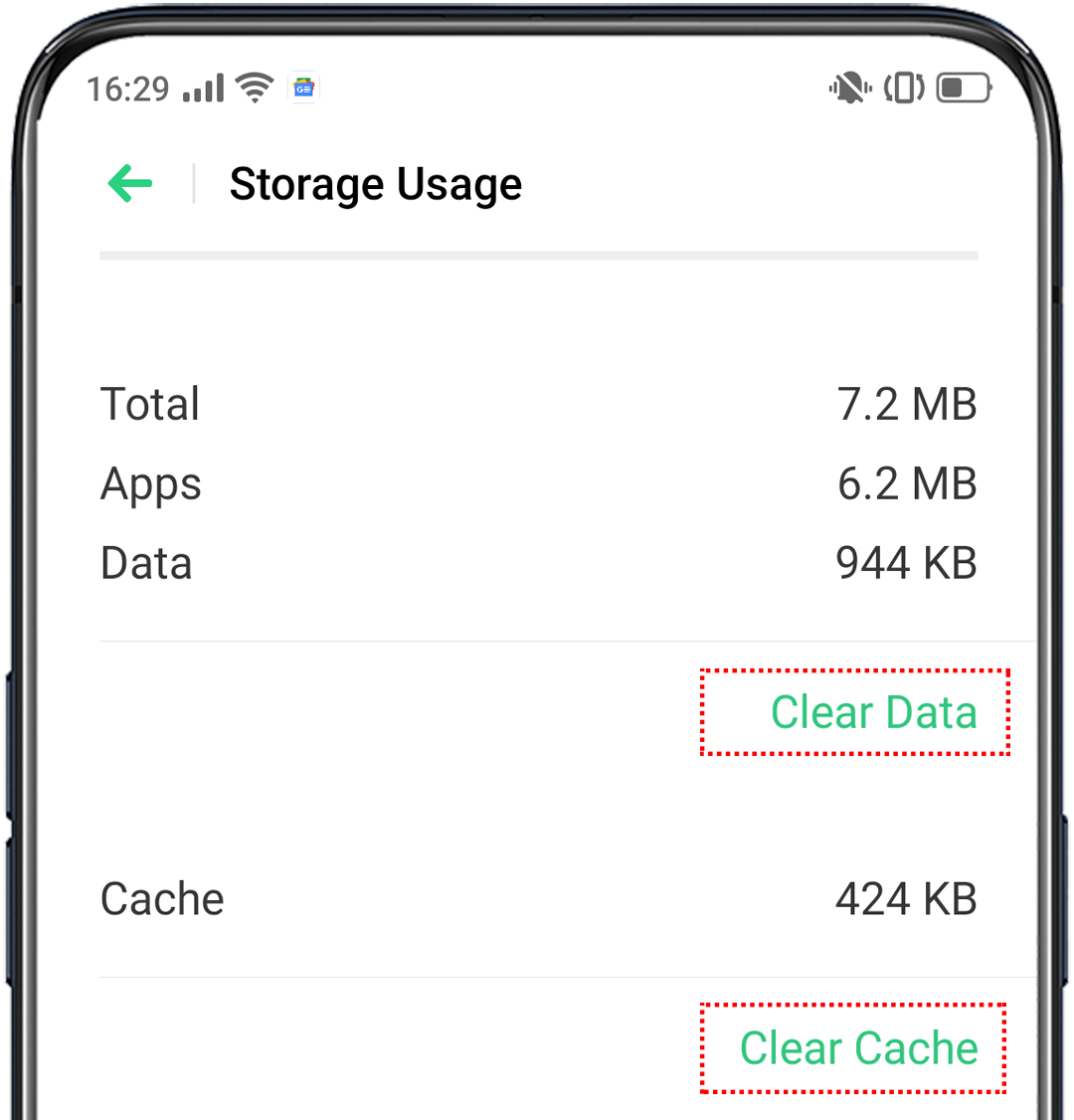
Clear the cache and data of the Camera app in [Settings] > [App Management] > [Show System Process] > [Camera] > [Storage Usage].
-
Clean up the unnecessary files in your phone storage by navigating to [Phone Manager] > [Clean Up Storage] > [Clear all].

-
Update your phone software to the latest version. Go to [Settings] > [Software Updates].
-
Restart the phone.
If the issue persists, contact OPPO Support Team, or take your phone, proof of purchase and warranty card to a nearby OPPO Customer Service Center for professional assistance.
* Pictures, settings, and paths might differ from those of your phone, but these won't affect the description in this article.
Sponsored Deals
Advertisement · Hand-picked offers, refreshed regularly
These are paid/affiliate advertisements from our partner store and are not related to OPPO or OPPO spare parts.
Related Articles
Sponsored Deals
Advertisement · Hand-picked offers, refreshed regularly
These are paid/affiliate advertisements from our partner store and are not related to OPPO or OPPO spare parts.