The Screen Rotation Lock Feature of OPPO Phone
If you prefer not to use the Auto-Rotate function but still want to be able to rotate your screen manually, the Screen Rotation Lock feature is perfect for you. With this feature, you can comfortably watch videos, browse the internet, and read e-books without having to turn on the Auto-Rotate function, which can sometimes be troublesome. Continue reading to learn how to use your OPPO smartphone's Screen Rotation Lock feature.
How to rotate the screen
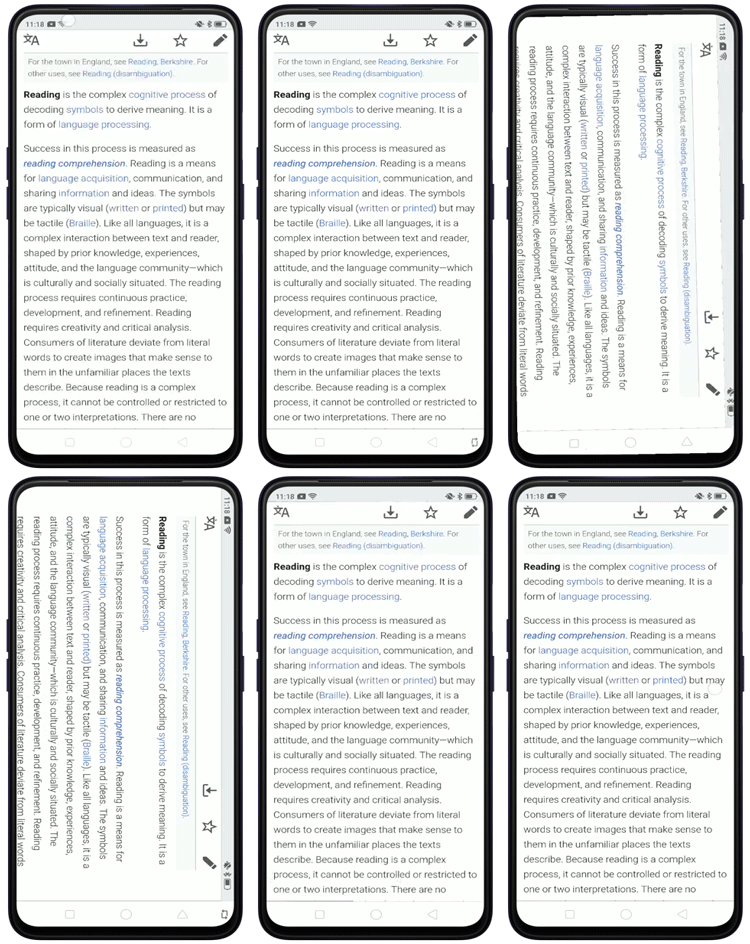
This feature brings the [ Screen Rotation Lock] icon on the Navigation Bar, which lets you flip the orientation and keep it locked until you rotate back and tap the button again. This feature will only be enabled once you disable the Auto Rotate feature on your OPPO phone's Control Center.
To do this, Swipe down from the top of your OPPO smartphone's screen > disable [Auto rotate] > position your phone on landscape mode, and then wait for this [ Screen Rotation Lock] icon to appear. If you don't see the Auto Rotate icon on your Control Center, see How to Rearrange Control Center Icons.
To flip the screen to landscape mode, turn the phone to the landscape position and tap the [
Screen Rotation Lock] icon on the left/ right corner of the navigation bar.If you want to switch back to portrait mode, turn the phone to the portrait position and tap the [
Screen Rotation Lock] icon.
Note:
This feature is unavailable for Navigation Gestures.
The Auto Rotate function can sometimes be inconvenient because a subtle shift sideways will flip the screen orientation to landscape or portrait mode.
Related article:
* Pictures, settings, and paths might differ from those of your phone, but these won't affect the description in this article.
Sponsored Deals
Advertisement · Hand-picked offers, refreshed regularly
These are paid/affiliate advertisements from our partner store and are not related to OPPO or OPPO spare parts.
Related Articles
Sponsored Deals
Advertisement · Hand-picked offers, refreshed regularly
These are paid/affiliate advertisements from our partner store and are not related to OPPO or OPPO spare parts.