Supersize Your Storage with OPPO F11 Pro
Supersize Your Storage with OPPO F11 Pro
Learn about the supersized storage in F11 Pro.
Applicable for OPPO F11 Pro.
Your phone is extremely cluttered with rolls of photos, apps, media—consuming more internal storage day by day, and your phone speed is no longer fast like before.
With F11 Pro's supersized storage, you get to store more without having to remove existing apps or data from your apps.
Internal Storage
F11 Pro comes with a set of storage capacity ranging from 4 to 6 GB RAM and 64 to 128 GB ROM, depending on the region. The internal storage capacity is also expandable up to 256 GB via the removable microSD card if you run out of storage space.
Check your storage capacity
On your phone, tap [Settings] > [Additional Settings] > [Storage]. You will see an option to clean your storage, followed by a list of installed apps and the amount of storage each one uses. Tap any application for detailed information about its storage.

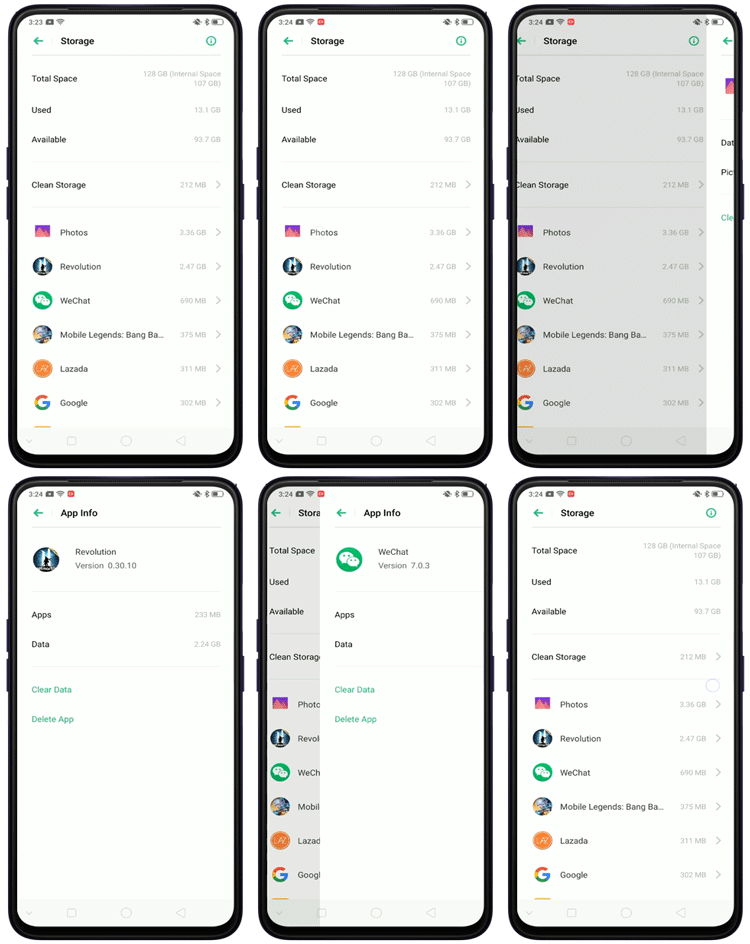
See your phone's performance
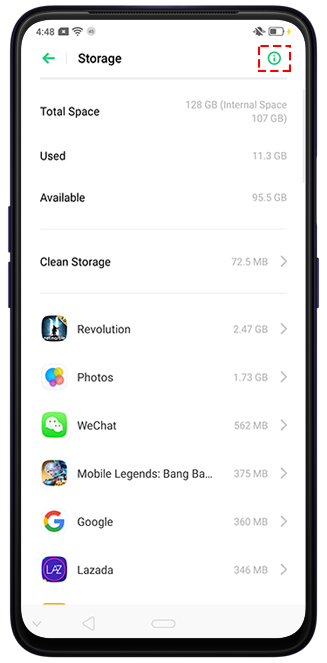
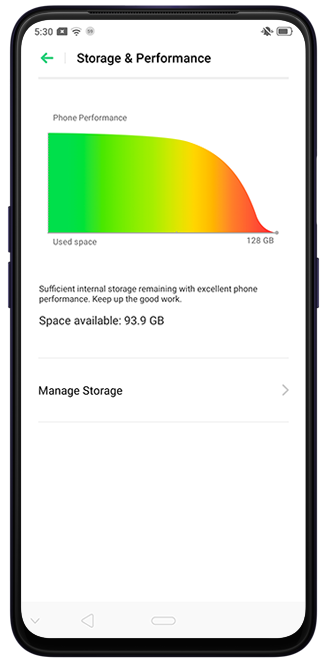
You can also view your phone's performance from the storage. Go to [Settings] > [Additional Settings] > [Storage] and tap .png) on the top right corner.
on the top right corner.
⚠ The internal storage capacity may vary based on region. Please check with your local service center for details.
Not enough?
OPPO Cloud got it covered with it's 5 GB free storage. You can also purchase additional cloud storage. Check Auto Sync Photos in OPPO Cloud to learn more about OPPO Cloud.
Sponsored Deals
Advertisement · Hand-picked offers, refreshed regularly
These are paid/affiliate advertisements from our partner store and are not related to OPPO or OPPO spare parts.
Related Articles
Sponsored Deals
Advertisement · Hand-picked offers, refreshed regularly
These are paid/affiliate advertisements from our partner store and are not related to OPPO or OPPO spare parts.