OPPO Power Bank2(10000mAh 18W)Service Manual
Contents
1. Purpose and Requirements
1.1 Purpose
1.2 Requirements
2.Product Introduction
2.1 Product Parameters
2.2 SN Code Identification
3. After-sales Guide
3.1 After-sales policy
3.2 Warranty Instruction
3.3 Maintenance Instruction
3.4 Warranty Time Specification
4.Instruction
4.1 Ports
4.2 Power button
4.3 Power indicator
![]() 1. Purpose and Requirements
1. Purpose and Requirements
1.1 Purpose
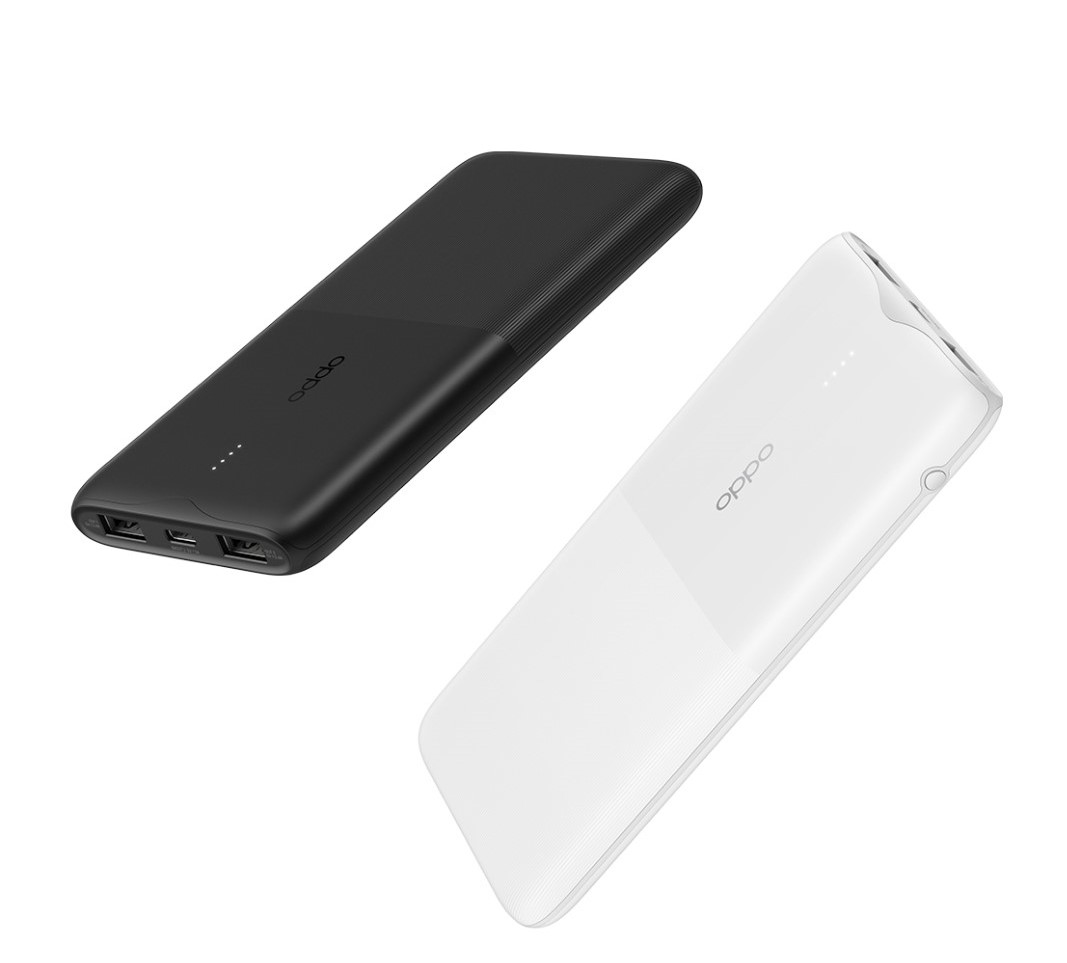
This article introduces the product parameters, instructions for use, and after-sales policies of the OPPO Power Bank2(10000mAh 18W)to guide the customer service center to properly handle the after-sales work of the product.
1.2 Requirements
The customer service center must operate in strict accordance with after-sales policies and order specifications.
![]() 2.Product Introduction
2.Product Introduction
2.1 Product Parameters
Model: PBT02
Lithium Ion Polymer Cell
Cell Capacity: 10000mAh 37Wh(Typ)/9800mAh 36.2Wh(Min)
Rated Capacity: 6000mAh(5V⎓3A)
Input: 5V⎓3A 9V⎓2A
Output: USB-A(Single port): 5V⎓2.4A 9V⎓2A 12V⎓1.5A、USB-C(Single port): 5V⎓3A 9V⎓2A 12V⎓1.5A、Multi-port: 5V⎓3A
※ Li-ion batteries experience capacity and power fade with time and use. The battery capacity marked on the product is the rated capacity when the product is shipped.
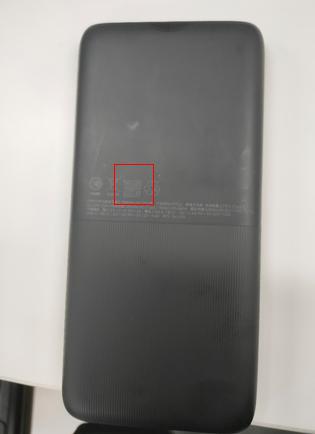
2.2 SN Code Identification
The SN code information of OPPO Power Bank2(10000mAh 18W) products is printed on the packing box and the product itself.
![]() 3. After-sales Guide
3. After-sales Guide
3.1 After-sales policy
The After-sales policy is implemented in accordance with local regulations.
3.2 Warranty Instruction
① In warranty period, if the power bank has non-artificial damage and the quality of the product itself, the power bank should be replaced.
② In warranty period, if the USB charging cable is not artificially damaged and the quality of the product itself, the USB charging cable accessories can be replaced separately.
3.3 Maintenance Instruction
There is no maintenance provided for this product,
3.4 Warranty Time Specification
1. Having proof of purchase: calculate the warranty time with the purchase invoice and warranty card;
2. No proof of purchase: provide the box and identify the SN code, and use the SN code information to query and calculate the warranty date.
3. In the case where the invoice, warranty card, packing box, online purchase record, SN code information query and calculation of the warranty date cannot be provided, No warranty is provided.
![]() 4.Instruction
4.Instruction
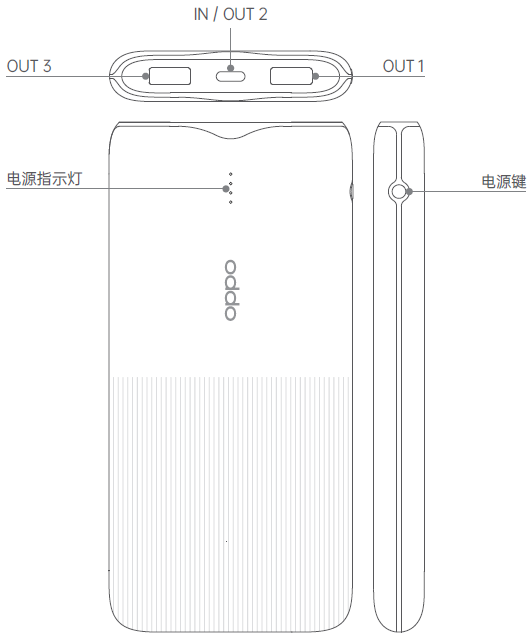
4.1 Ports
• Input port: USB-C (IN)
• Output ports: USB-A (OUT 1 / OUT 3)、USB-C (OUT 2)
4.2 Power button
• Press the Power button once to view the battery level.
• Press the Power button twice to enter low-current charging mode
(which can be used to charge low-current devices such as smart watches, bands, and earphones). In this mode, the indicators will blink in sequence.
The power bank automatically exits low-current charging mode after 2 hours, or you can press the Power button again to exit manually.
4.3 Power indicator
• The indicators blink in sequence when the power bank is being charged. When the power bank is fully charged, all 4 indicators become steady on.
• The number of steady-on indicators stands for the current capacity of the power bank.
Sponsored Deals
Advertisement · Hand-picked offers, refreshed regularly
These are paid/affiliate advertisements from our partner store and are not related to OPPO or OPPO spare parts.
Related Articles
What is the Safety Protection Mechanism Used in OPPO 10000mAh Power Bank?
Sponsored Deals
Advertisement · Hand-picked offers, refreshed regularly
These are paid/affiliate advertisements from our partner store and are not related to OPPO or OPPO spare parts.