Guidance for spare parts SN scan and input
Update log:
1. Updated version: V1.1
2. Update main content: (The red marked part is the updated part)
2.1. Scope;
2.2. Update on the interface of input SN code of WCSM system;
2.3. Processing method for defective material QR code cannot be checked out in WCSM;
3. Update Time: 2019.12.16
4. Updater: John
I. Purpose
In order to trace the source of materials, identify the authenticity and standardize the management of key materials, the engineer of overseas customer service center needs to manually or automatically scan and input material SN code or codes when filling the work order.
II. Scope
This guidance is applicable to all customer service center personnel in all countries and regions. The key materials involved include but not limited to the motherboard, screen (Top cover assembly), battery as well as adapter.
1. All motherboard SN (PCB NO.) should be input into the WCSM system;
2. All SN for screen, battery, mainboard and adapter should be input into the WCSM system (Special case, record handling).
III. Equipment for scan and Job order input requirements
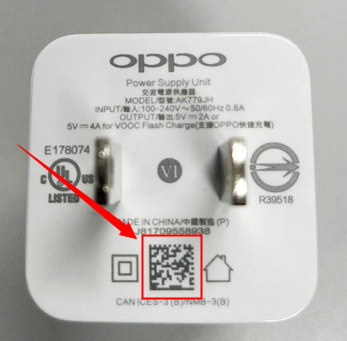
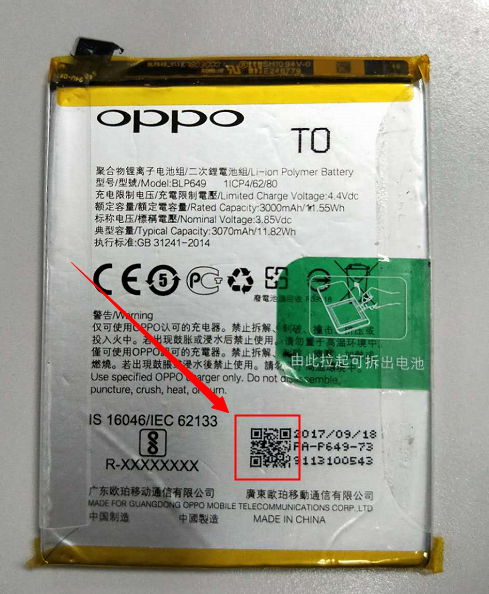
1. All engineers should use scan gun to scan the material and fill the SN automatically or use handset APP to scan the material and fill the SN manually. Printed No. on the adapter and battery sticker cannot be filled into the WCSM system.
QR Scanner

(QR Barcode Scanner/ Barcode Scanner/ Lightning QR)
Scan Gun


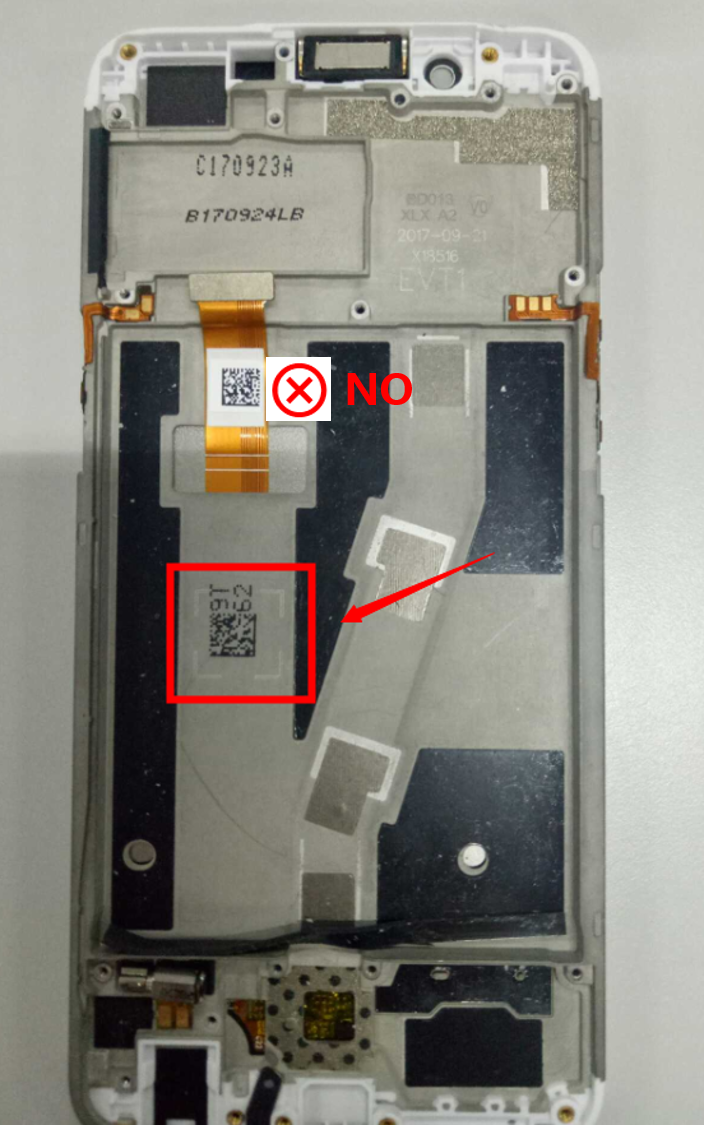
2. Position for Scanning
Motherboard(Assembly)
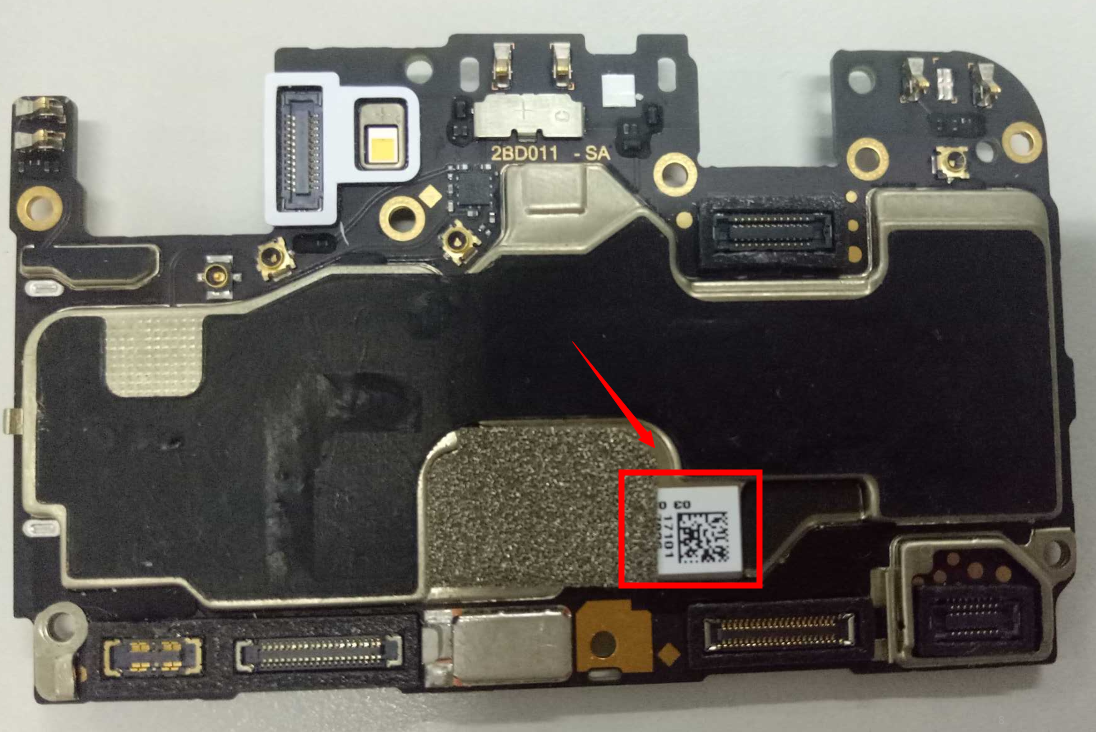
Adapter
Screen(Top cover assembly)
Battery
3. WCSM input interface: After filling up the material code No. on the WCSM job order interface, point at the SN input column and click the scan gun, the SN will input automatically. Or use handset APP to scan the QR code, and input the SN number manually.
3.1 Scan and input the SN according to the material type& material code No.
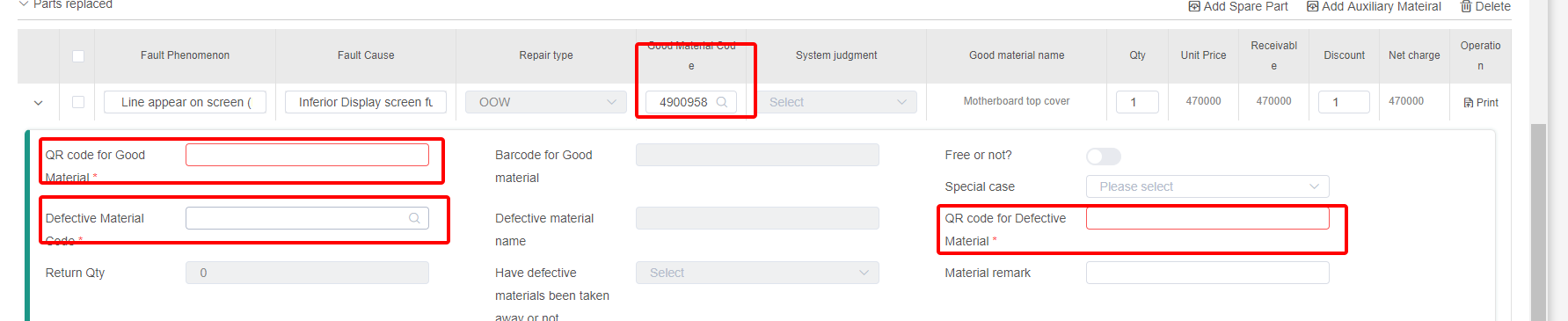
3.2 If the changed faulty material is adapter, mainboard, screen or battery, the system will automatically connect to our factory delivery database system and trace the source of this materials by using the SN. Different remarks will be showed as below by different results checked out:
3.2.1 This accessory is from the device of this IMEI, please handle for user according to the service policy.
3.2.2 This accessory has been even changed in SC, Order No.:***, please handle for user according to the service policy.
3.2.3 This accessory has been even sold in SC, Order No.:***, please handle for user according to the service policy.
3.2.4 This accessory is from the IMEI of *********, please handle for user according to the service policy.
3.2.5 This accessory is an original OPPO accessory. The related records of service center replacement cannot be found. Please confirm the relevant purchase voucher with the user.
3.3 Defective material QR code cannot be checked out:
3.3.1 If the QR code is blur, missing or cannot be scanned correctly, use the function “SN Information Search” of WCSM and input the IMEI to reverse-checking the SN.
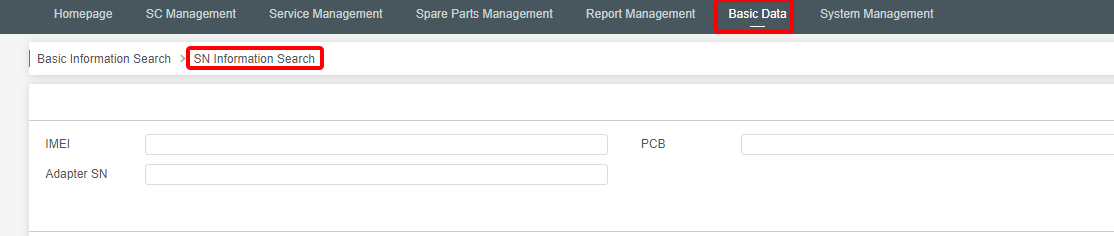
3.3.2 If defective material SN cannot be checked out from MES, use the function “special case” of WSCM, and fill the SN number into the material remark.

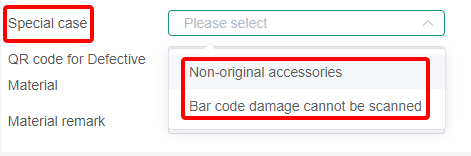

IV. Others
1. This guidance does not apply to areas such as India and Vietnam.
Sponsored Deals
Advertisement · Hand-picked offers, refreshed regularly
These are paid/affiliate advertisements from our partner store and are not related to OPPO or OPPO spare parts.
Related Articles
Can I Use Third-Party Spare Parts to Replace the Damaged Parts of OPPO Phone?
Sponsored Deals
Advertisement · Hand-picked offers, refreshed regularly
These are paid/affiliate advertisements from our partner store and are not related to OPPO or OPPO spare parts.