Data Setup

Set Mobile Data Usage Limit or Restriction on OPPO Reno16C 5G

22 steps · OPPO Reno16C 5G · Android OS v16

  1. 1

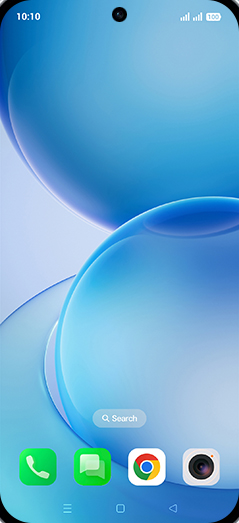
    Swipe Up.

    Step 1: Swipe Up.
  2. 2

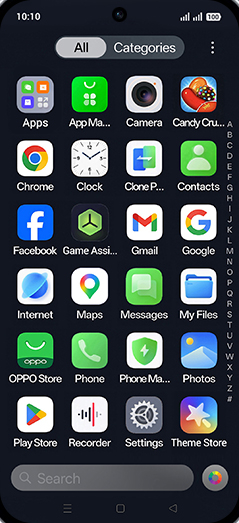
    Tap on Settings icon.

    Step 2: Tap on Settings icon.
  3. 3

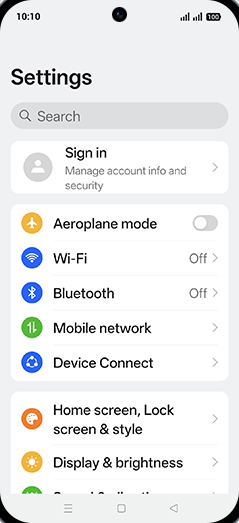
    Tap on Mobile network.

    Step 3: Tap on Mobile network.
  4. 4

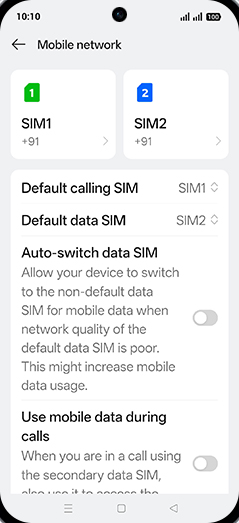
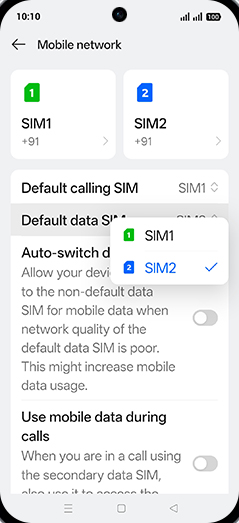
    Tap on Default data SIM.

    Step 4: Tap on Default data SIM.
  5. 5

    Tap on SIM1 or SIM2.

    Step 5: Tap on SIM1 or SIM2.
  6. 6

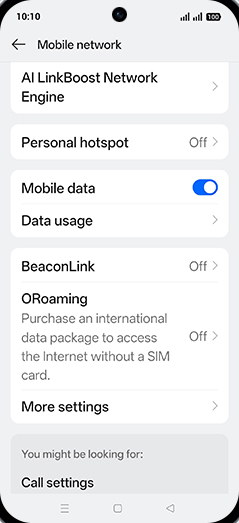
    Tap on Data usage.

    Step 6: Tap on Data usage.
  7. 7

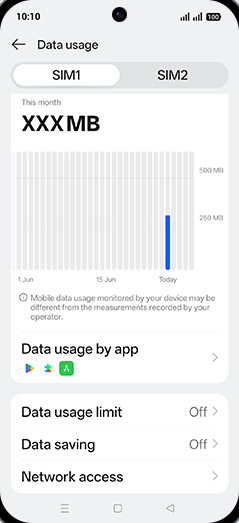
    Tap on Data usage limit.

    Step 7: Tap on Data usage limit.
  8. 8

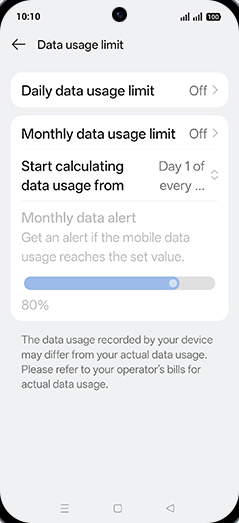
    Tap on Daily data usage limit.

    Step 8: Tap on Daily data usage limit.
  9. 9

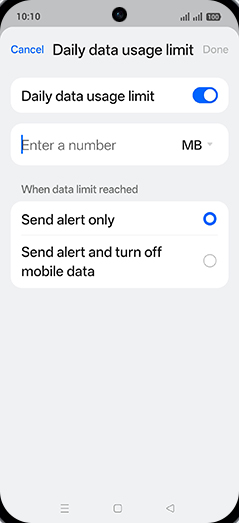
    Tap on Daily data usage limit to turn ON.
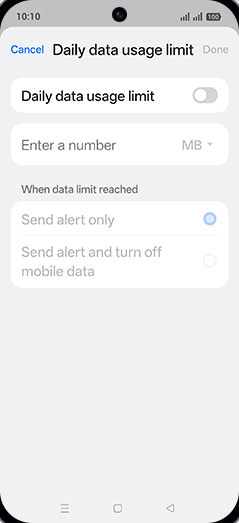
    Step 9: Tap on Daily data usage limit to turn ON.
  10. 10

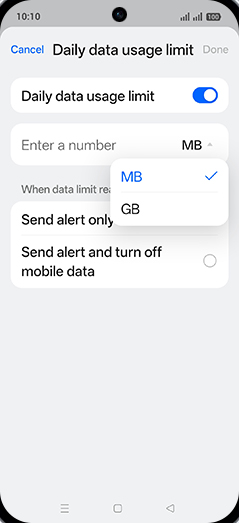
    Tap on MB or GB.

    Step 10: Tap on MB or GB.
  11. 11

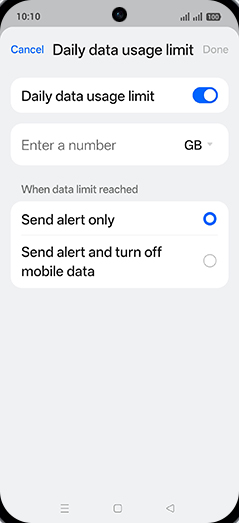
    Tap on desired Option.

    Step 11: Tap on desired Option.
  12. 12

    Tap on Enter a number.

    Step 12: Tap on Enter a number.
  13. 13

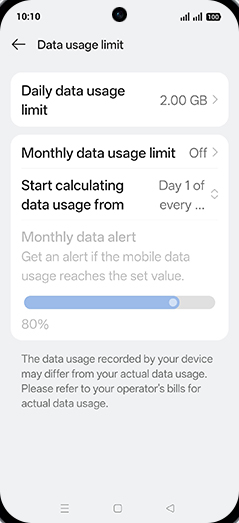
    Enter Daily data usage limit and tap on Done.
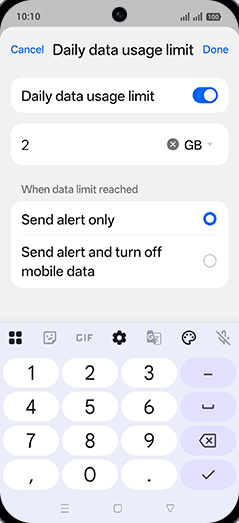
    Step 13: Enter Daily data usage limit and tap on Done.
  14. 14

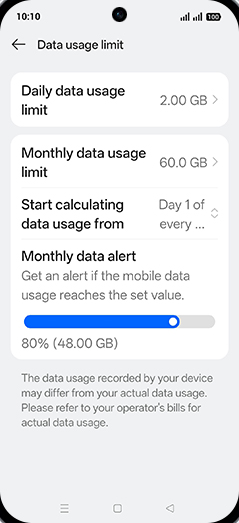
    Tap on Monthly data usage limit.

    Step 14: Tap on Monthly data usage limit.
  15. 15

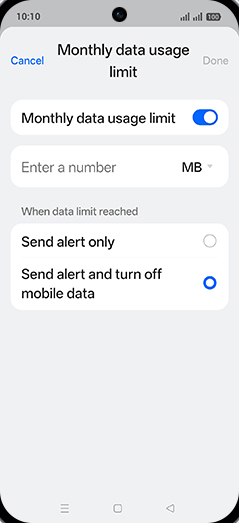
    Tap on Monthly data usage limit to turn ON.
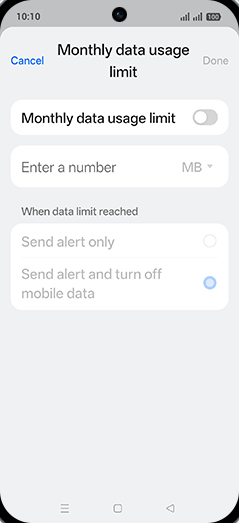
    Step 15: Tap on Monthly data usage limit to turn ON.
  16. 16

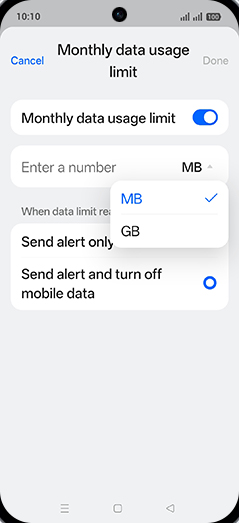
    Tap on MB or GB.

    Step 16: Tap on MB or GB.
  17. 17

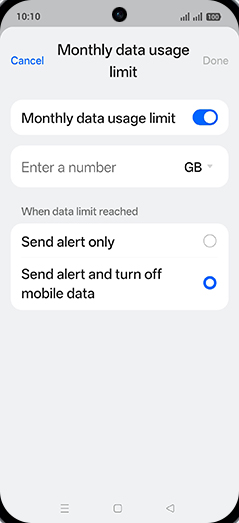
    Tap on desired Option.

    Step 17: Tap on desired Option.
  18. 18

    Tap on Enter a number.

    Step 18: Tap on Enter a number.
  19. 19

    Enter desired Monthly data usage limit and tap on Done.
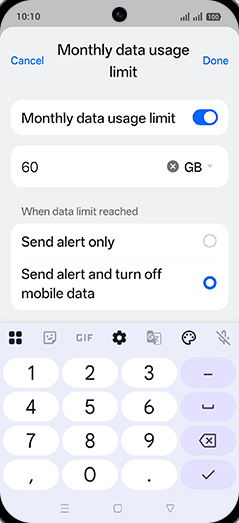
    Step 19: Enter desired Monthly data usage limit and tap on Done.
  20. 20

    Tap on Start calculating data usage from.
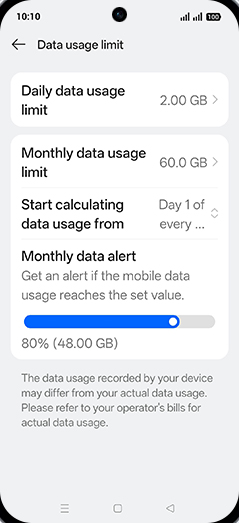
    Step 20: Tap on Start calculating data usage from.
  21. 21

    Adjust desired Start calculating data usage from and tap on OK.
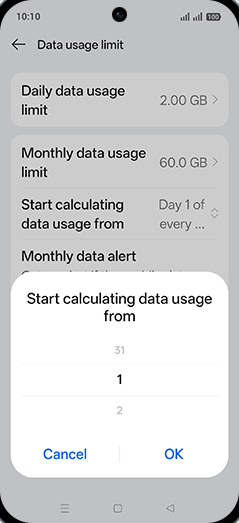
    Step 21: Adjust desired Start calculating data usage from and tap on OK.
  22. 22

    Tap on Home.

    Step 22: Tap on Home.