Device Support
Check Firmware Version Number on OPPO Enco X2
5 steps · OPPO Enco X2
Watch the video
- 1
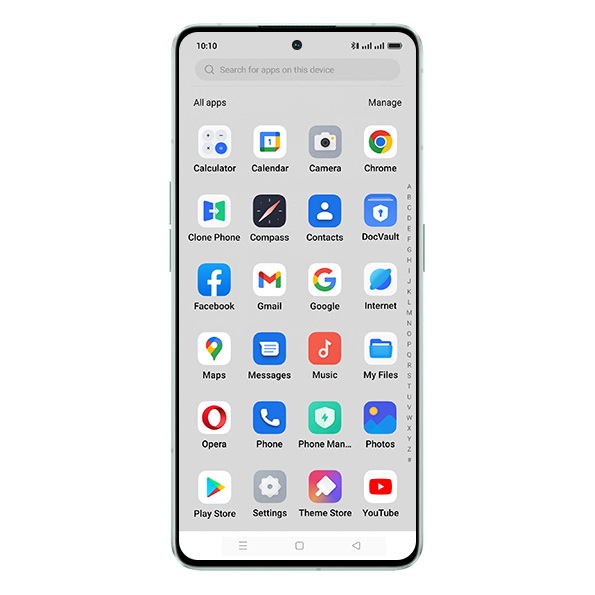
Tap on Settings icon.
- 2
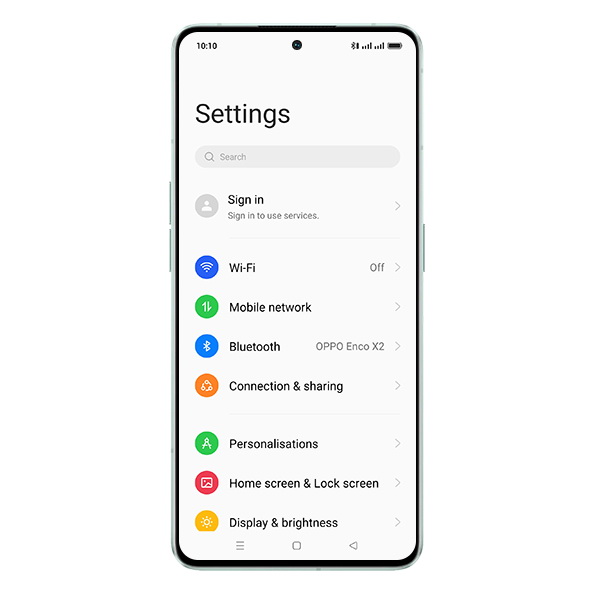
Tap on Bluetooth.
- 3
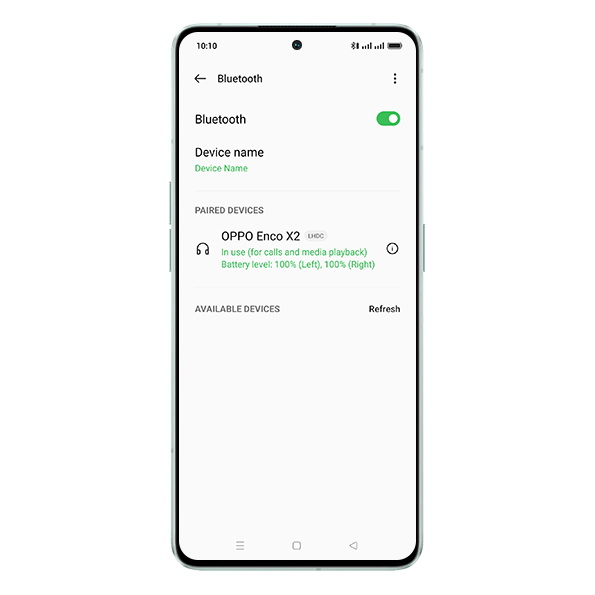
Tap on Details icon of OPPO Enco X2.
- 4
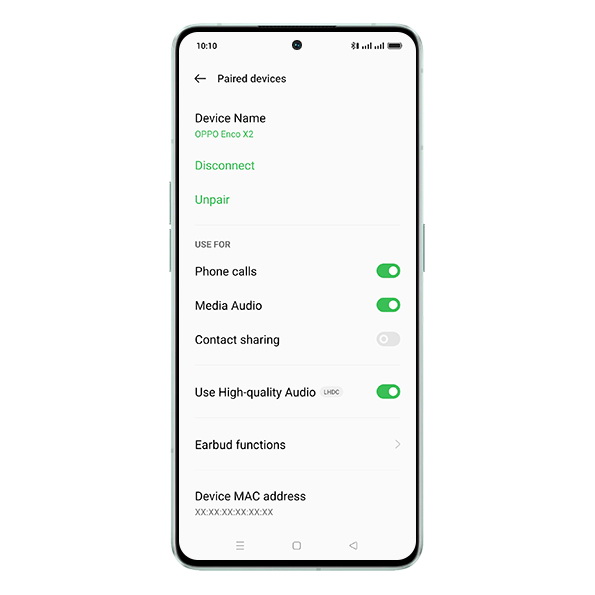
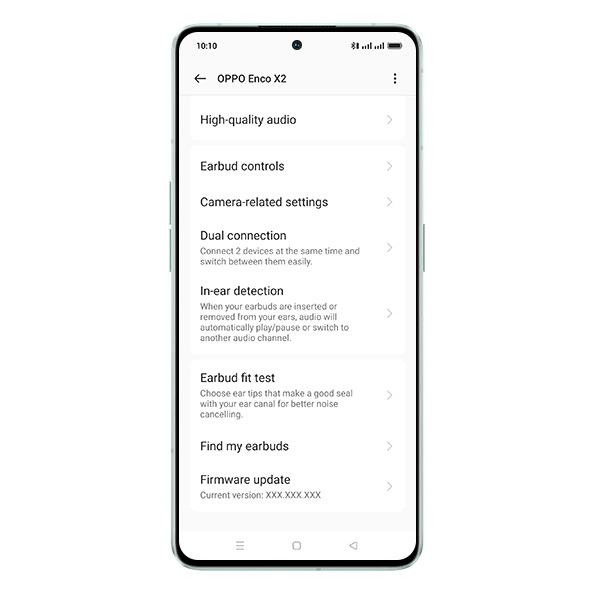
Tap on Earbud functions. Note: Headset Functions only visible, when the device paired with OPPO mobile.
- 5
Check Firmware version number.
View on OPPO: Check Firmware Version Number on the official OPPO site