Device Support
Use Game mode on OPPO Enco Buds2
8 steps · OPPO Enco Buds2
- 1
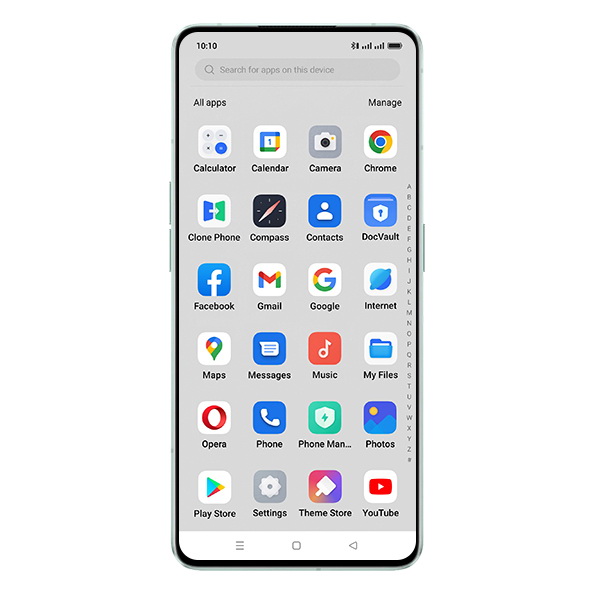
Tap on Settings icon.
- 2
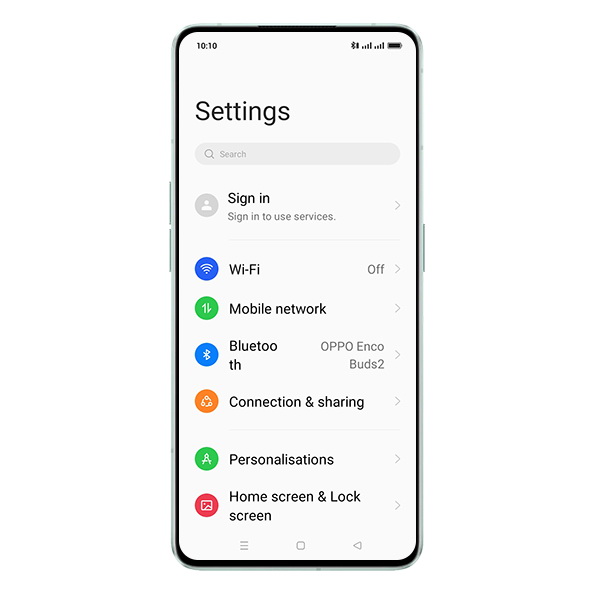
Tap on Bluetooth.
- 3
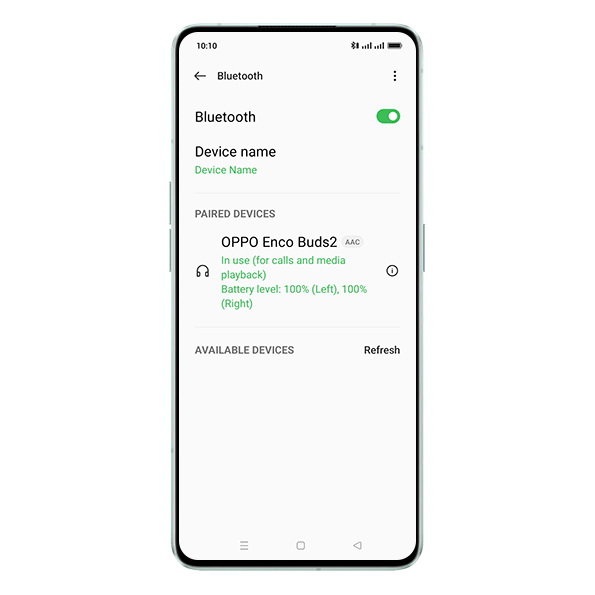
Tap on Details icon of OPPO Enco Buds2.
- 4
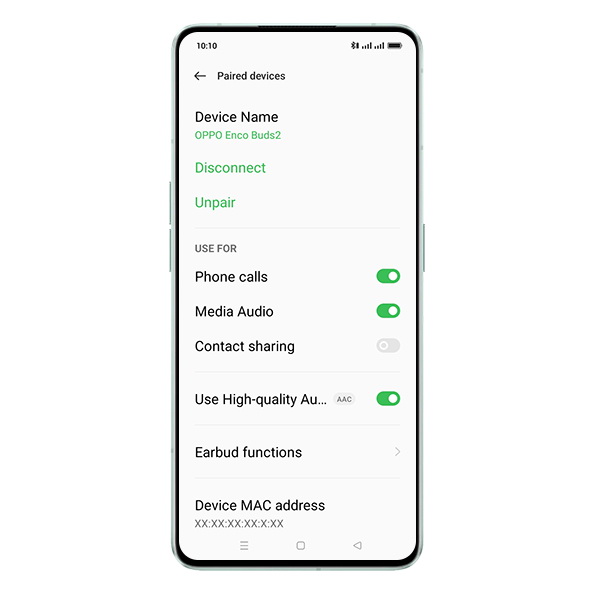
Tap on Earbud functions.
- 5
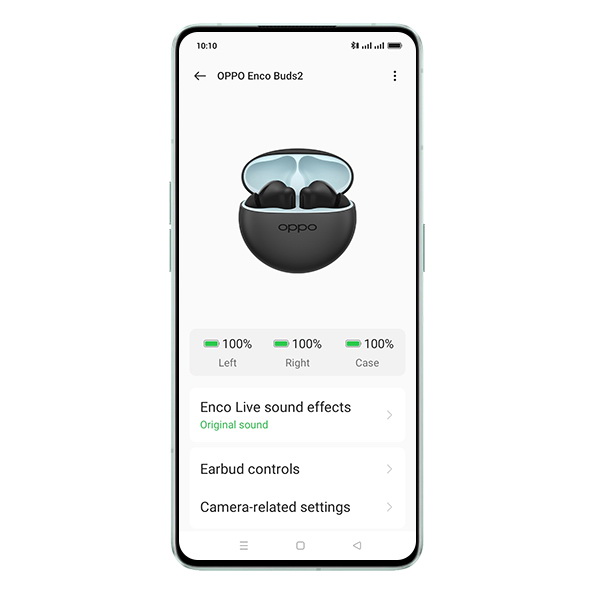
Tap on Earbud controls.
- 6
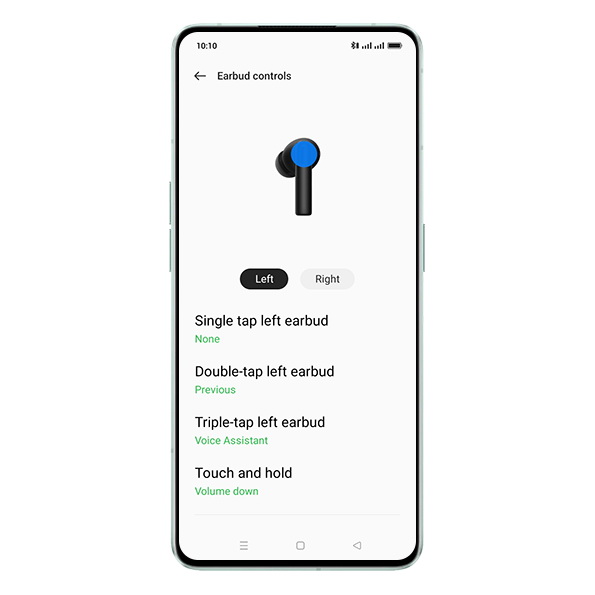
Tap on Triple tap left earbud.
- 7
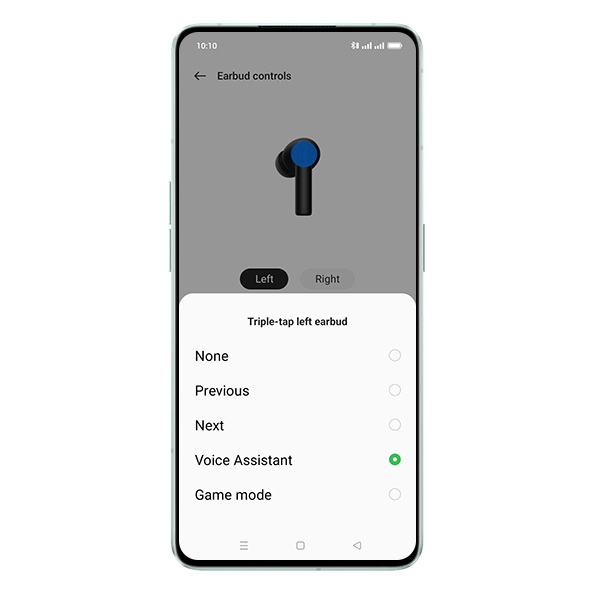
Tap on Game mode.
- 8
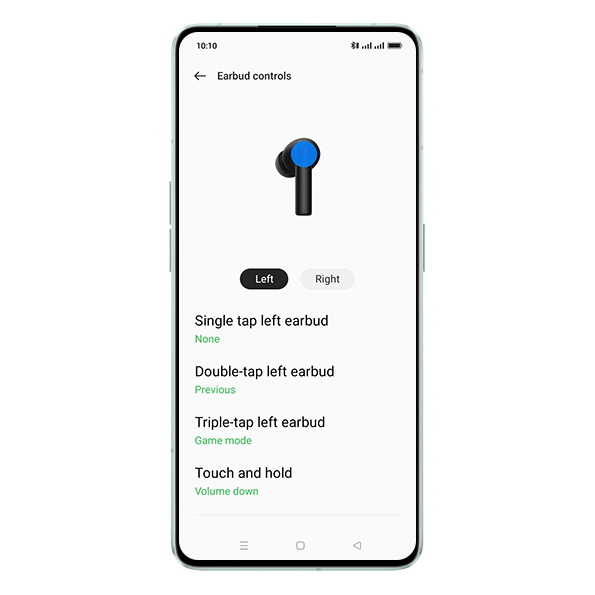
Game mode enabled.
View on OPPO: Use Game mode on the official OPPO site