Data Setup

Select Cellular Network Manually on OPPO A6c

7 steps · OPPO A6c · Android OS v16

  1. 1

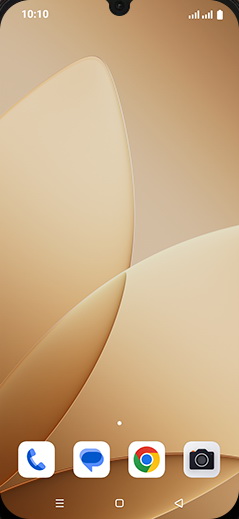
    Swipe Up.

    Step 1: Swipe Up.
  2. 2

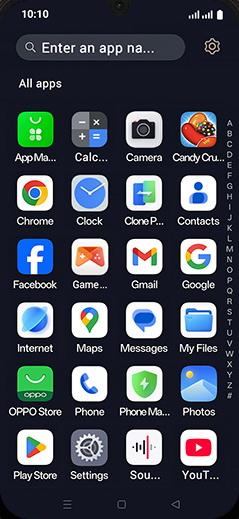
    Tap on Settings icon.

    Step 2: Tap on Settings icon.
  3. 3

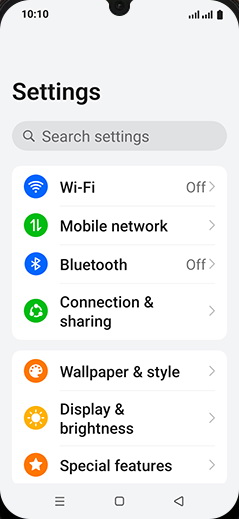
    Tap on Mobile network.

    Step 3: Tap on Mobile network.
  4. 4

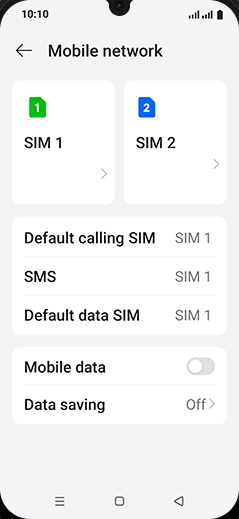
    Tap on SIM 1 or SIM 2.

    Step 4: Tap on SIM 1 or SIM 2.
  5. 5

    Tap on Automatically select network to turn OFF.
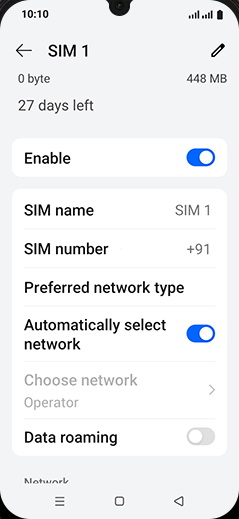
    Step 5: Tap on Automatically select network to turn OFF.
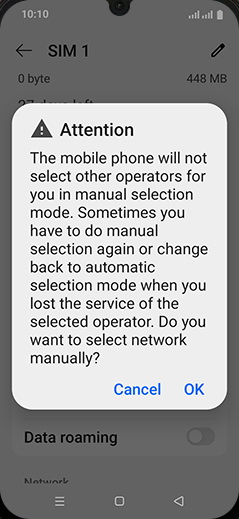
  6. 6

    Tap on OK.

    Step 6: Tap on OK.
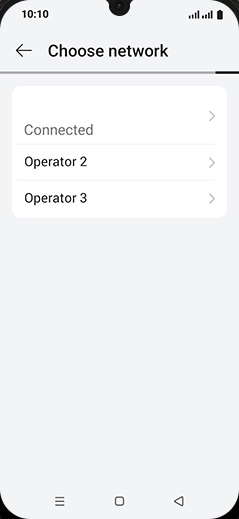
  7. 7

    Tap on Operator.

    Step 7: Tap on Operator.