Fingerprint

Add Fingerprint on OPPO A6c

16 steps · OPPO A6c · Android OS v16

  1. 1

    Swipe Up.

    Step 1: Swipe Up.
  2. 2

    Tap on Settings icon.

    Step 2: Tap on Settings icon.
  3. 3

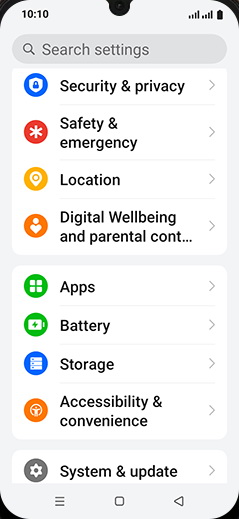
    Tap on Security & privacy.

    Step 3: Tap on Security & privacy.
  4. 4

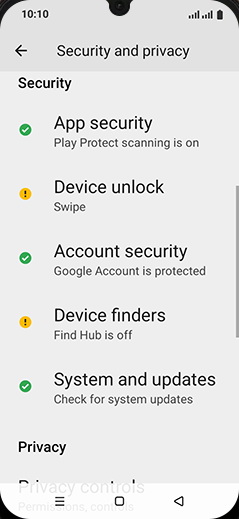
    Tap on Device unlock.

    Step 4: Tap on Device unlock.
  5. 5

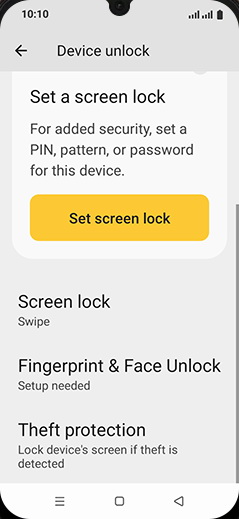
    Tap on Fingerprint & Face Unlock.

    Step 5: Tap on Fingerprint & Face Unlock.
  6. 6

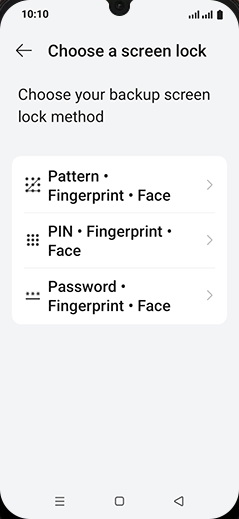
    Tap on desired Password type.

    Step 6: Tap on desired Password type.
  7. 7

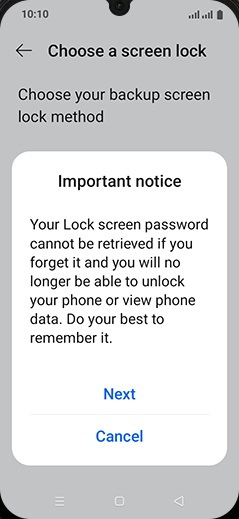
    Tap on Next.

    Step 7: Tap on Next.
  8. 8

    Set Lock screen notification settings and tap on DONE.

    Step 8: Set Lock screen notification settings and tap on DONE.
  9. 9

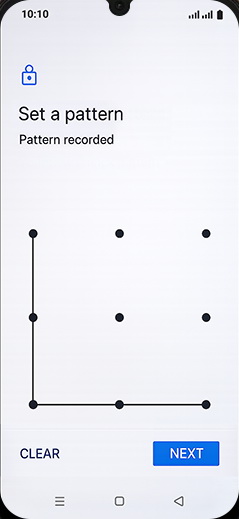
    Set a pattern and tap on NEXT.

    Step 9: Set a pattern and tap on NEXT.
  10. 10

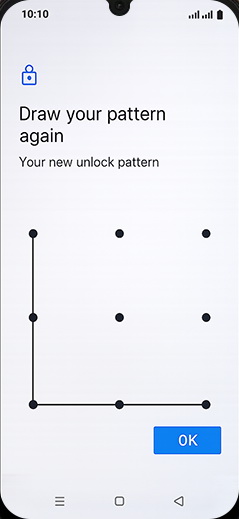
    Draw pattern again and tap on OK.

    Step 10: Draw pattern again and tap on OK.
  11. 11

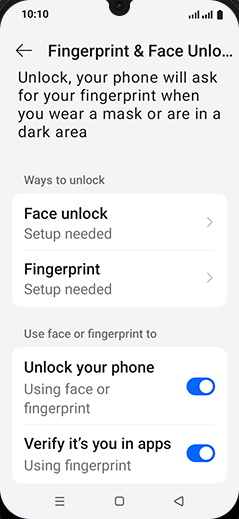
    Tap on Fingerprint.

    Step 11: Tap on Fingerprint.
  12. 12

    Tap on More.

    Step 12: Tap on More.
  13. 13

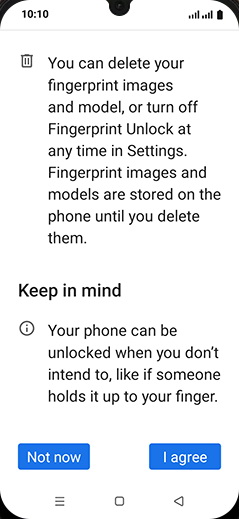
    Tap on I agree.

    Step 13: Tap on I agree.
  14. 14

    Place your finger on the fingerprint sensor.
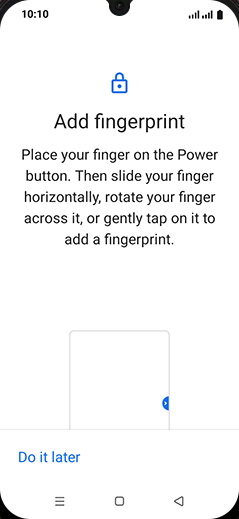
    Step 14: Place your finger on the fingerprint sensor.
  15. 15

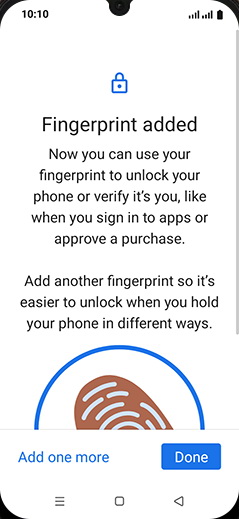
    Tap on Done.

    Step 15: Tap on Done.
  16. 16

    Tap on Home.

    Step 16: Tap on Home.